¶ Adding a photo gallery in Sitejet Builder
For many UK businesses — photographers, restaurants, tradespeople, shops, hotels, event venues — photographs do the heavy lifting on the website. Sitejet Builder’s gallery element handles the grid layout, responsive sizing and lightbox behaviour so you just upload photos and the rest renders correctly. This guide covers standard galleries, multiple galleries on one page, and filterable galleries for portfolio-style sites.
¶ Standard image gallery
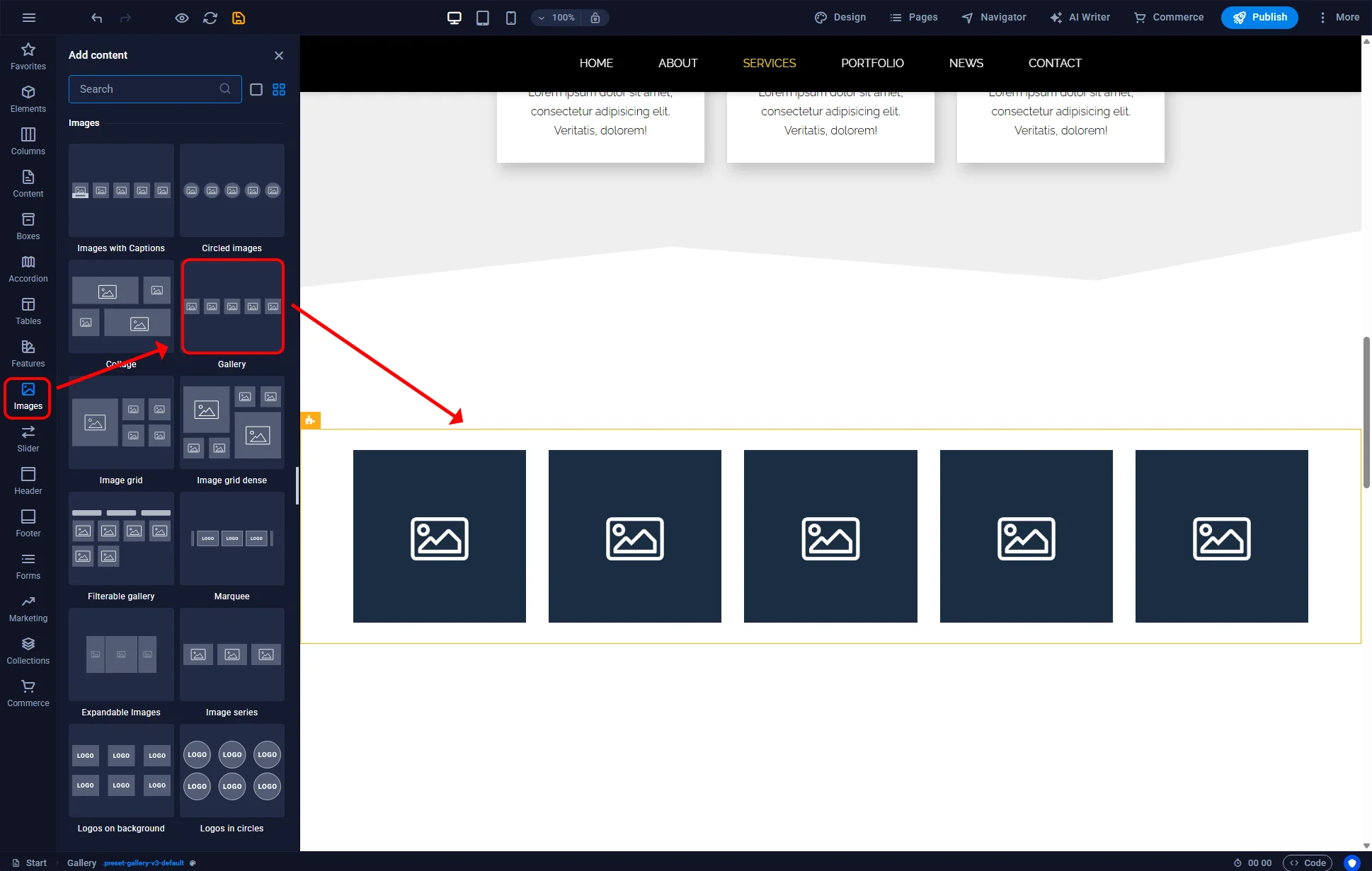
- Open the page in the Sitejet editor.
- Click the Images icon in the left sidebar.
- Find the Gallery element.
- Drag it to the desired location.
¶ Choosing a variant
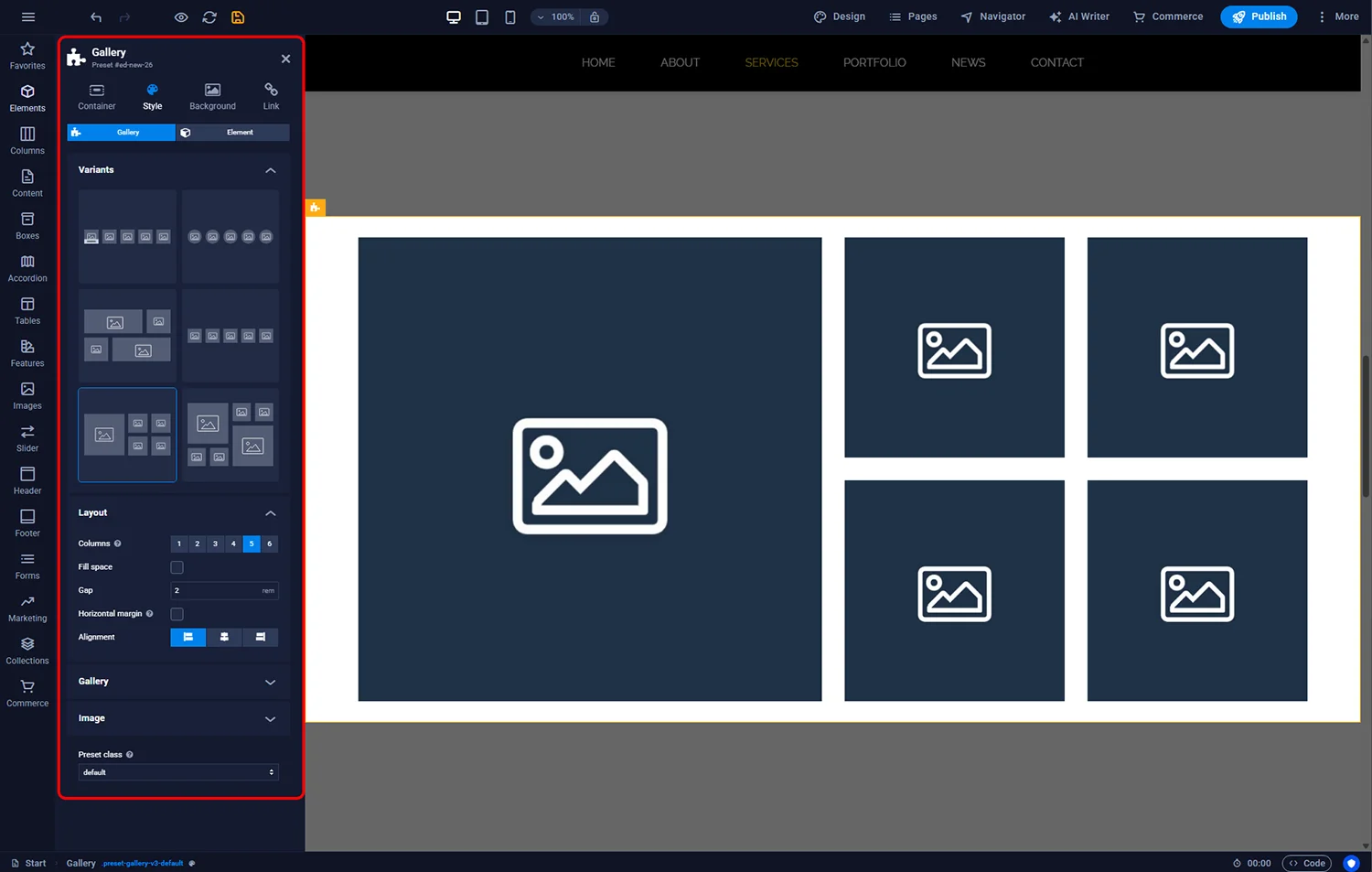
Each gallery has layout variants — grid, masonry, slider, full-width row and others. To switch:
- Double-click the gallery container (yellow frame in the editor).
- Expand the Variants section in the settings panel.
- Click a thumbnail to apply that variant. The layout changes immediately.
¶ Adding your photos
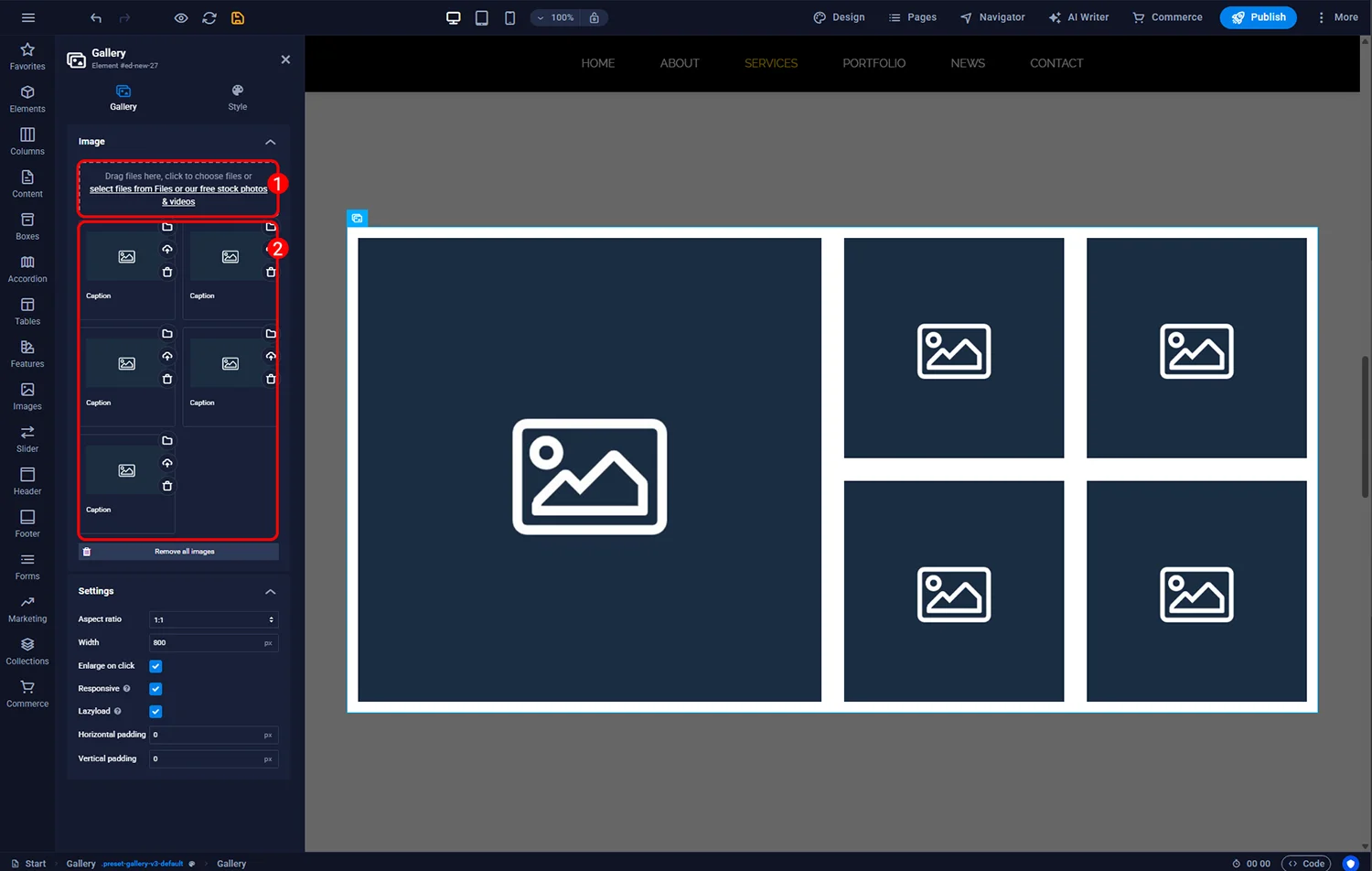
Double-click the gallery (blue frame this time — the inner container) to open image management. You have two related blocks:
- Add images — upload new photos. Each one automatically gets an image slot.
- Existing images — double-click any slot to replace the image or reorder.
¶ Multiple galleries on one page
When you add two galleries using the same variant, they share CSS — changing settings on one affects the other. To make them independent:
- Double-click the second gallery.
- Open the Style tab.
- Change the Preset Class to a new name (for example
.preset-gallery-v3-portfolio). - Settings now apply only to this gallery.
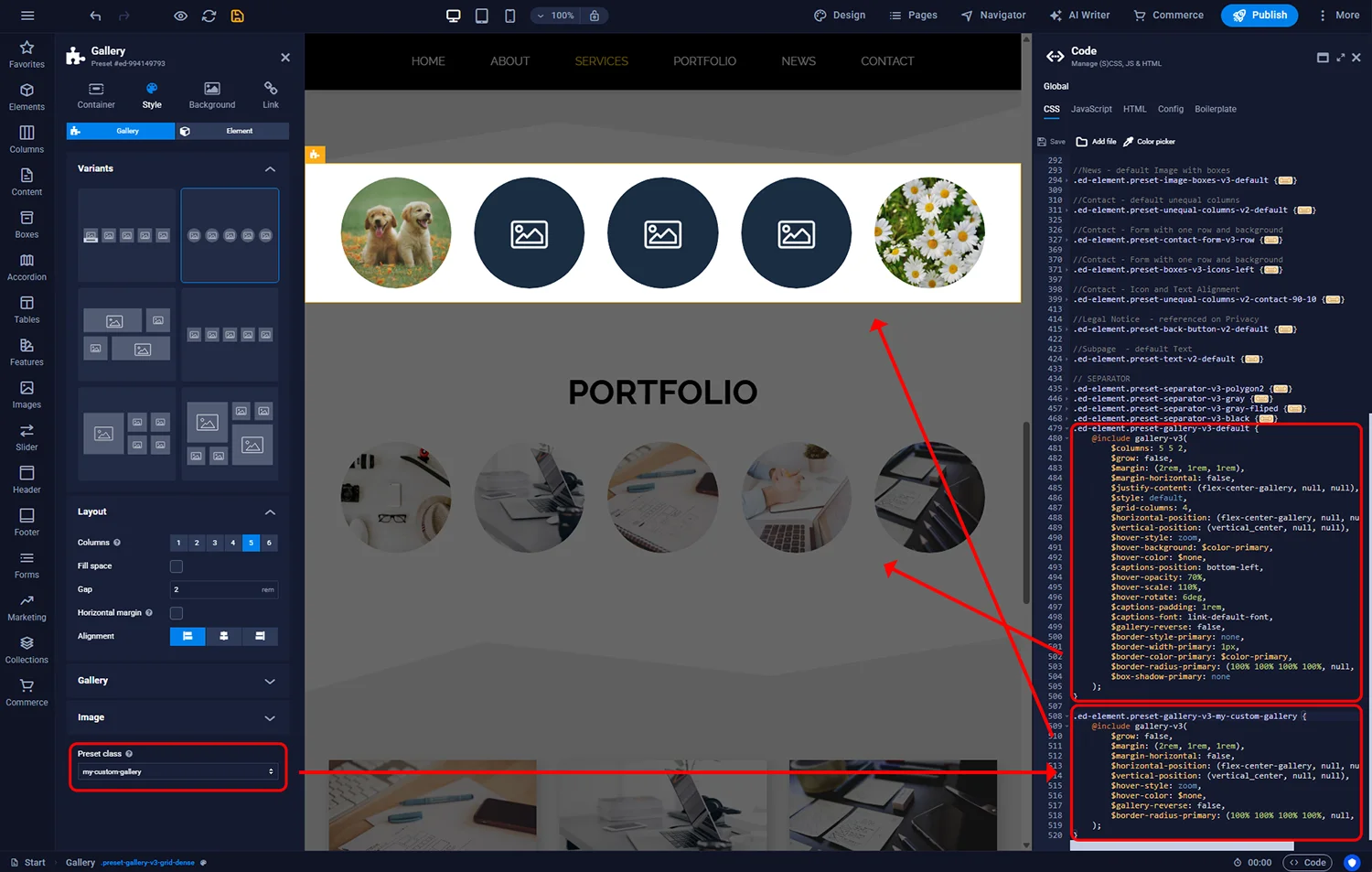
This is useful when you want, say, a three-column thumbnail gallery at the top of the page and a single-row full-width slider at the bottom, even if both use the same underlying layout.
¶ Filterable gallery
If your site has categorised photos — for example a wedding photographer separating “Ceremony”, “Reception”, “Portraits” — the filterable gallery shows all photos by default and lets visitors narrow by clicking category buttons.
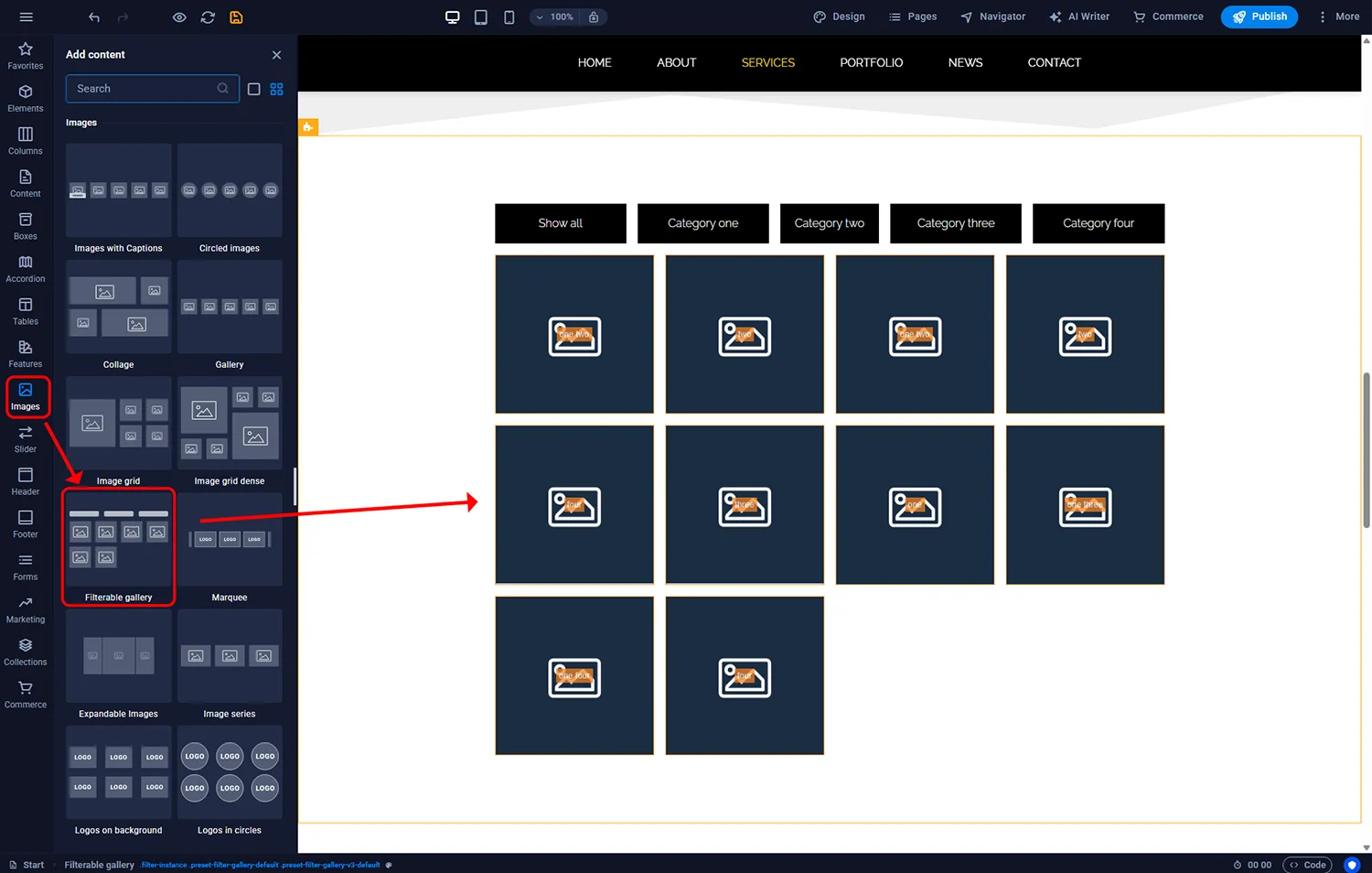
- In the left sidebar, Images menu.
- Drag Filterable gallery to the page.
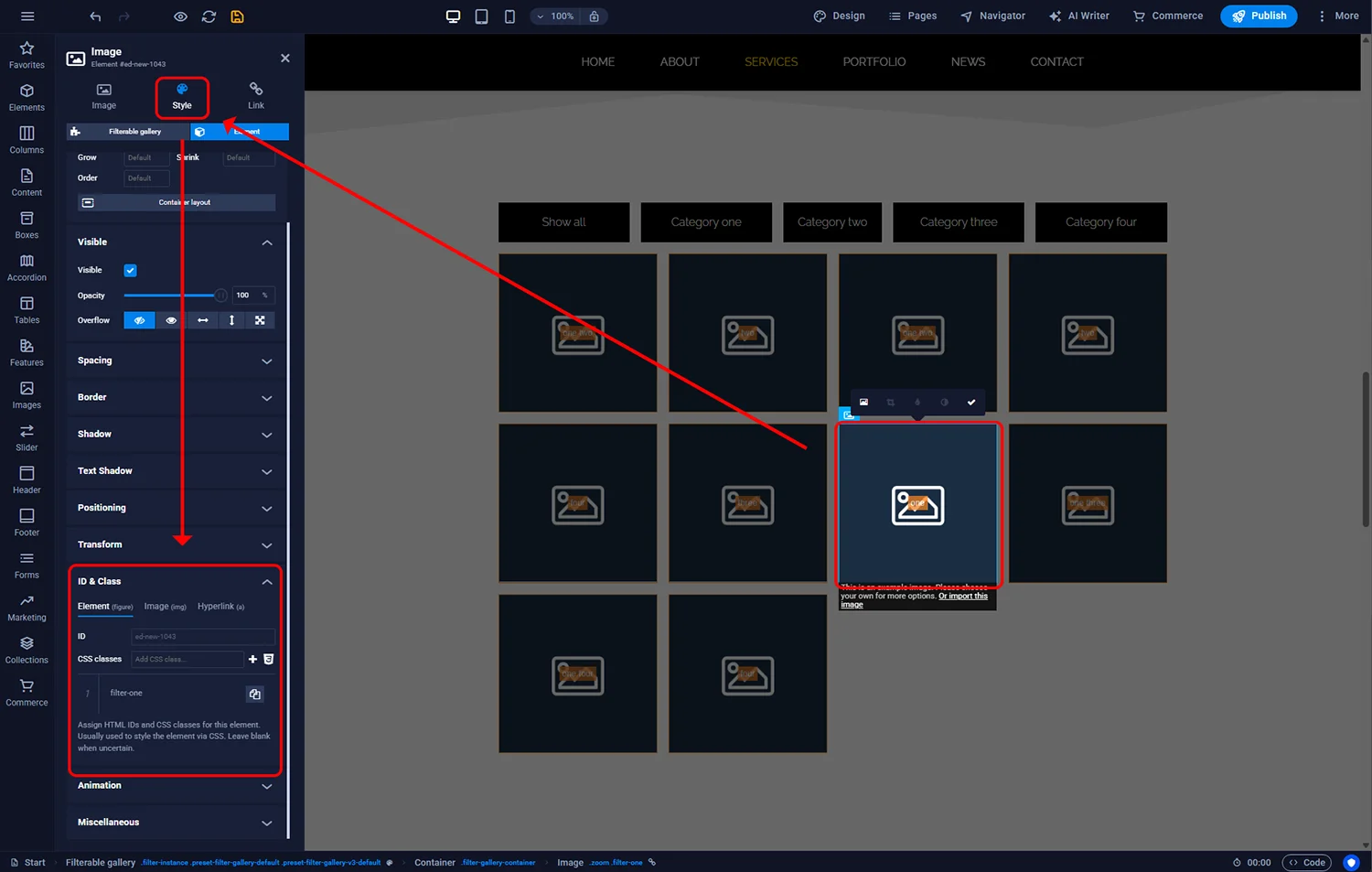
- Upload images and tag each with one or more categories.
- The category buttons render automatically above the grid.
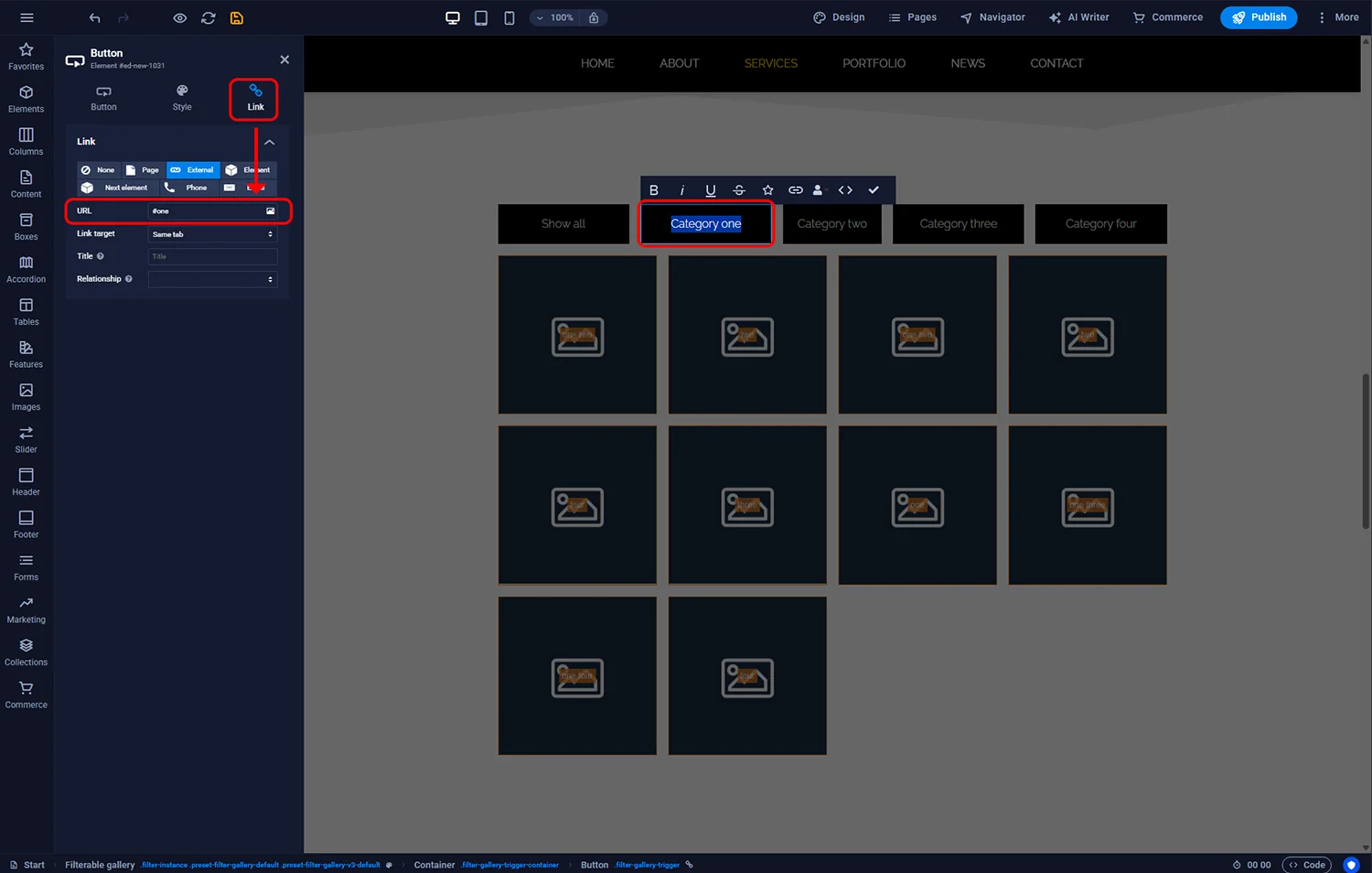
Photos can belong to multiple categories — for example an image tagged both “Ceremony” and “Outdoor” appears in both filters.
¶ Alt text and SEO
Every image should have descriptive alt text — a short sentence describing what the photograph shows. Alt text helps:
- Screen-reader users understand the image
- Google understand what the image is (improves image search ranking for your site)
- Users on slow connections where images fail to load see meaningful placeholders
Open the image settings and enter alt text like “Bride and groom at outdoor ceremony, Yorkshire Dales” rather than “image1” or an empty value.
¶ FAQ
Does the gallery have a lightbox?
Yes — clicking a thumbnail opens the full-size image in an overlay. You can disable this in the gallery settings if you want the thumbnails to be static.
What image format should I use?
WebP for best compression, falling back to JPEG for photos with many colours and PNG for graphics with transparency. Sitejet accepts JPEG, PNG and WebP uploads.
How many photos can one gallery hold?
There is no hard cap, but performance degrades above about 50 images on a single page. For large portfolios, break into several pages or use the filterable gallery to reduce visible thumbnails.
Can I import photos from Instagram or Dropbox?
Not directly in the standard gallery. You upload files from your computer. For Instagram embedding, use a dedicated third-party widget.
Does the gallery support captions?
Yes. In the image settings, add a caption. Depending on the variant, captions appear under thumbnails, as overlays on hover, or in the lightbox view.
Is the gallery mobile-friendly?
All built-in variants are responsive. Preview on the phone icon in the top toolbar and adjust if the column count feels wrong for your images.