¶ Adding content tiles in Sitejet Builder
Content tiles are the building blocks of most pages — a block of text paired with an image, or a grid of feature boxes, or a row of service tiles. Sitejet Builder ships with dozens of pre-designed tile layouts so you do not have to assemble them from scratch. This guide covers adding tiles, tweaking their content and extending them with extra elements.
¶ Why use tiles
A well-structured page alternates between wide full-width sections (banner, testimonial, CTA) and tiled sections (services, features, team). Tiles let visitors scan the page quickly — the eye groups related content together. They also keep your layout consistent across pages without requiring you to build grids by hand.
¶ Adding a content tile
- Open the page in the editor.
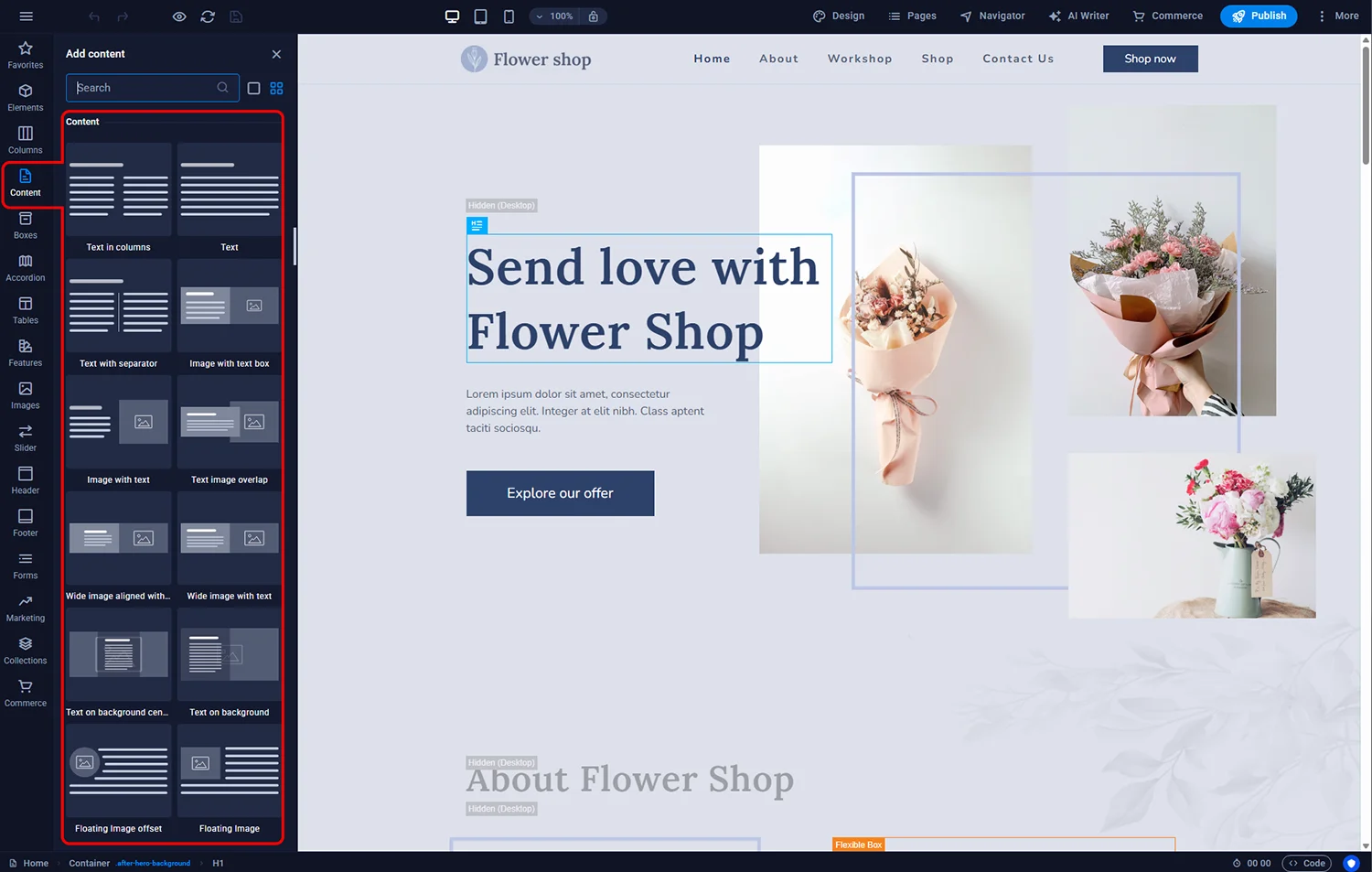
- Click the Content icon in the left sidebar.
- Browse the available tile layouts. Each has a preview thumbnail showing the intended use (two-column image+text, three-column feature grid, quote block, and so on).
- Drag the layout you want into the page at the desired position.
¶ Customising the tile
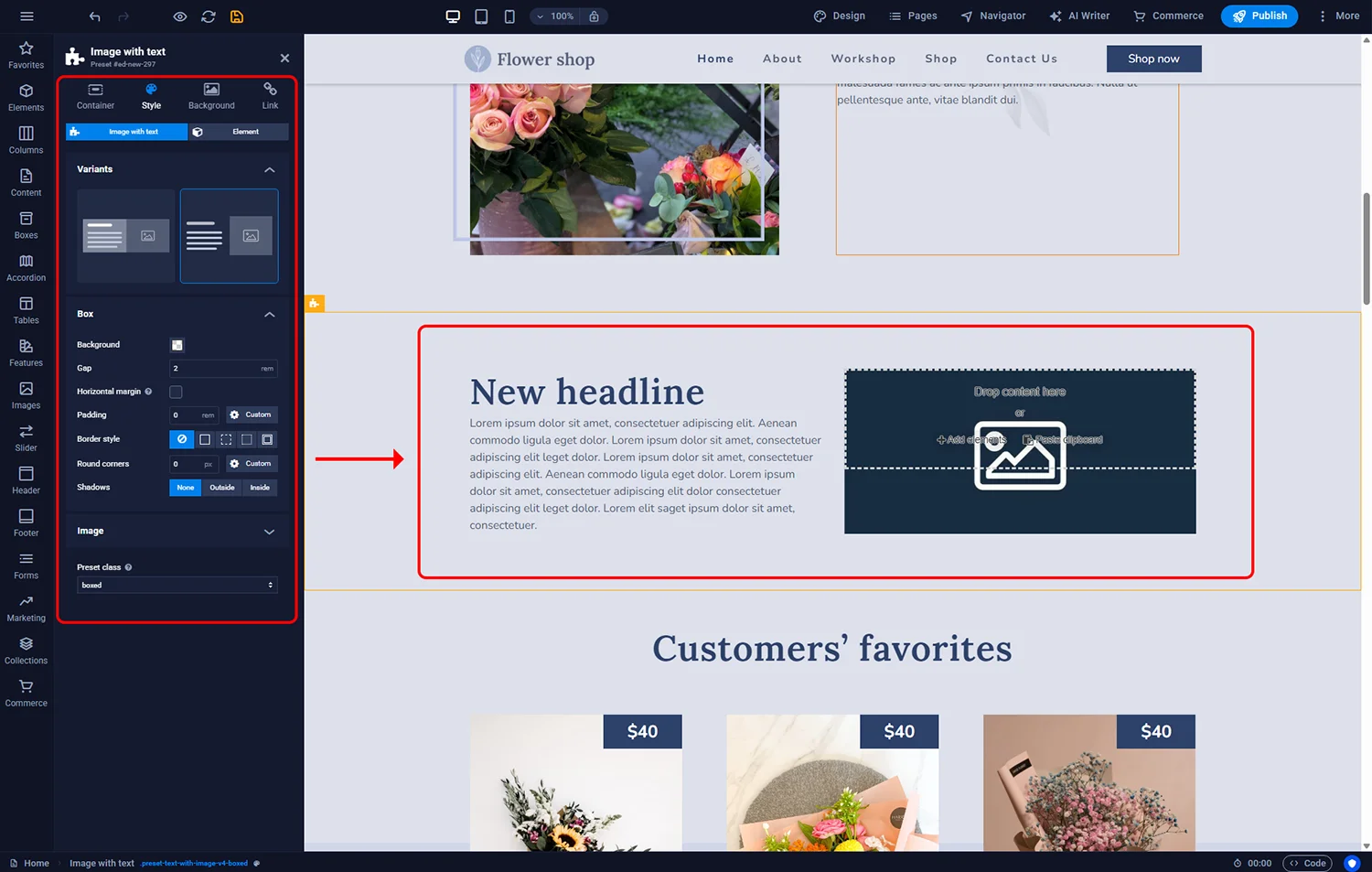
Double-click the tile container to open its settings. Typical controls:
- Variant — some tiles have multiple style variations (image-left, image-right, alternating rows)
- Spacing — top and bottom margin, so adjacent sections breathe correctly
- Column widths — for multi-column tiles, adjust the balance between columns
- Background — colour, image or gradient behind the tile content
¶ Editing the individual elements
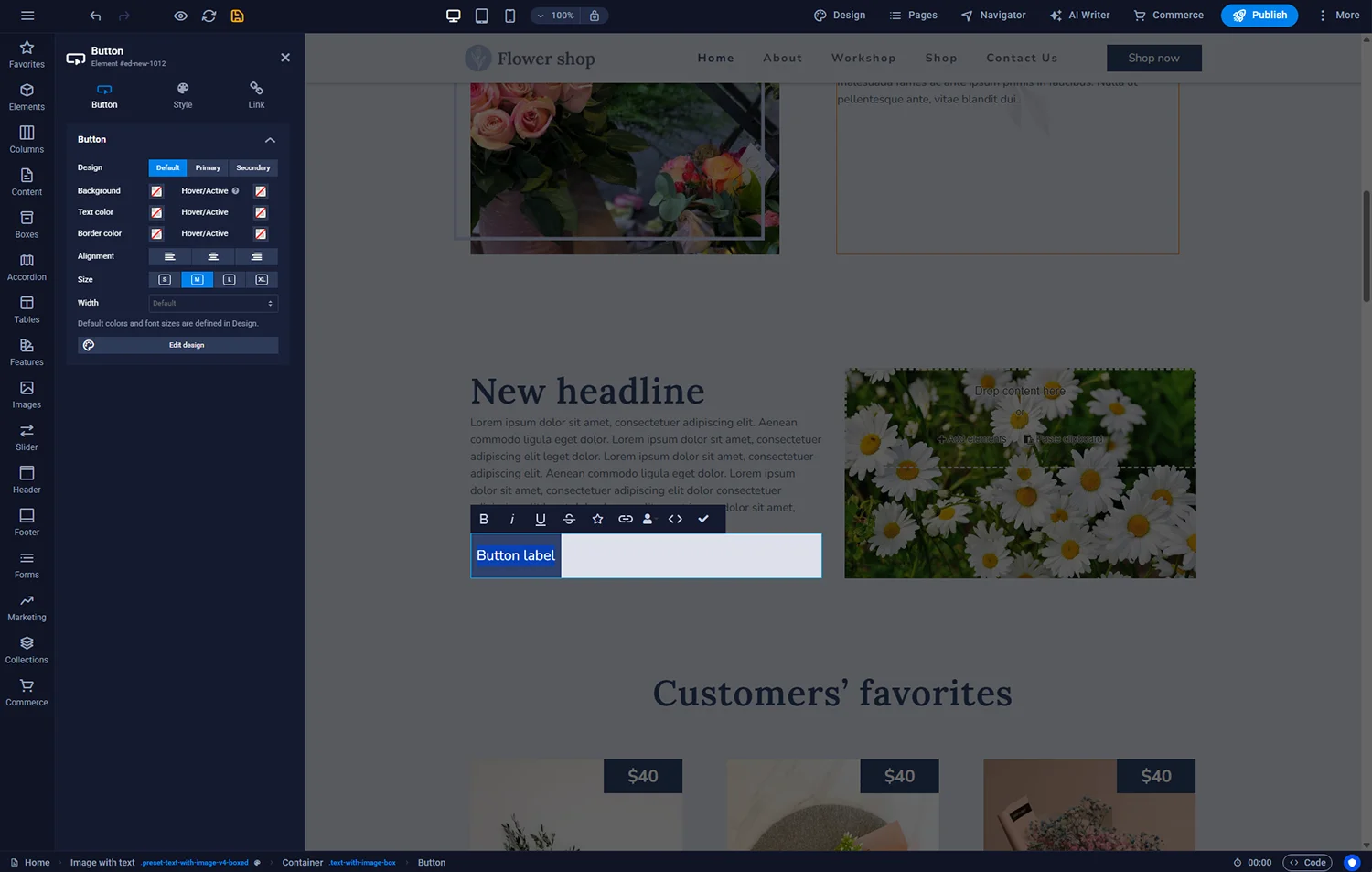
Inside each tile, the constituent elements (heading, paragraph, image, button) are independent. Double-click any element to edit it directly:
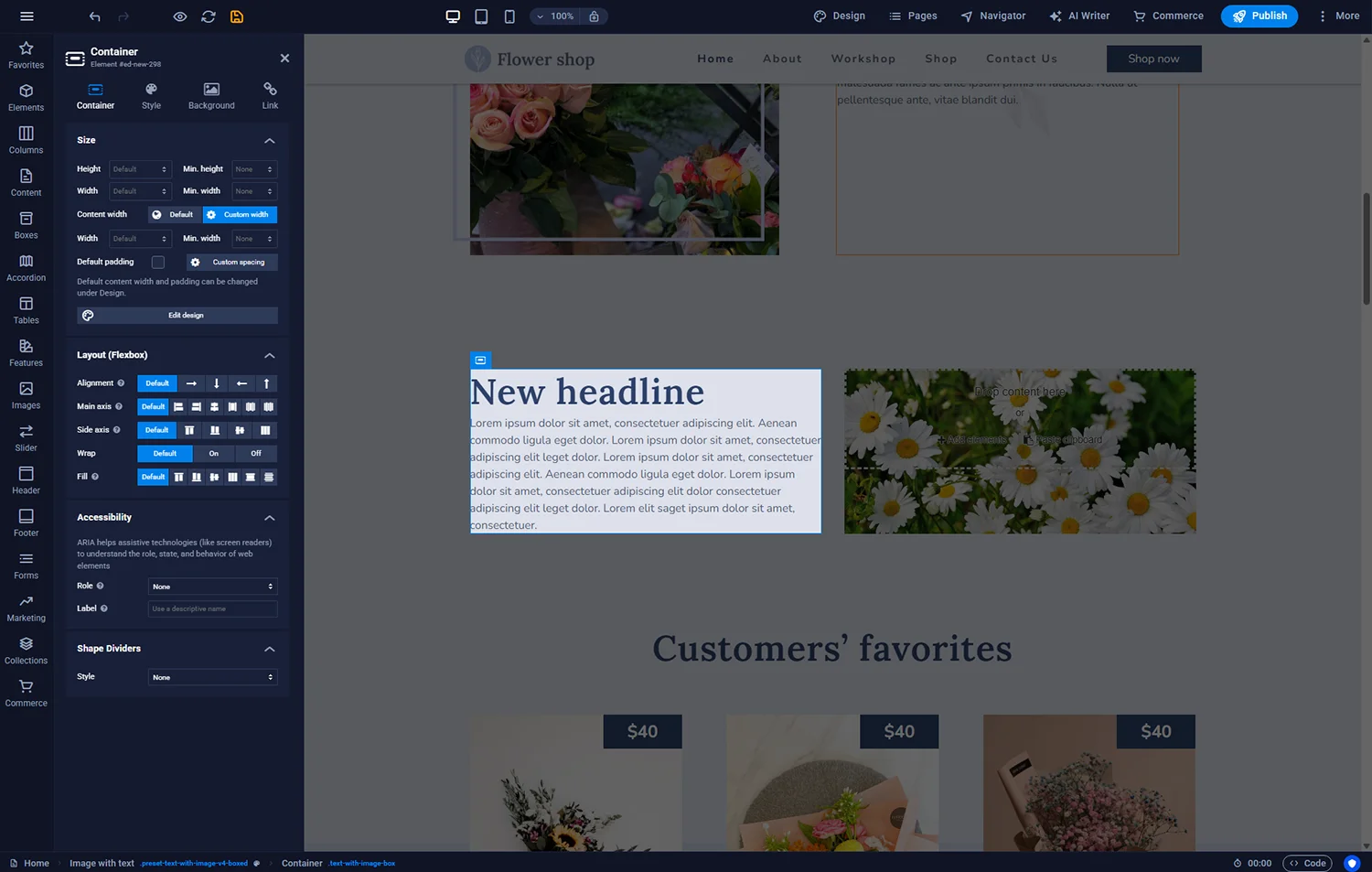
- Heading — click to edit text; right-panel controls handle font, weight, size and colour
- Paragraph — same pattern; paste from a document if the copy is already written elsewhere
- Image — click to upload from your computer or pick from the built-in stock library
- Button — set label, link destination and hover styling (see Adding buttons)
¶ Adding new elements to a tile
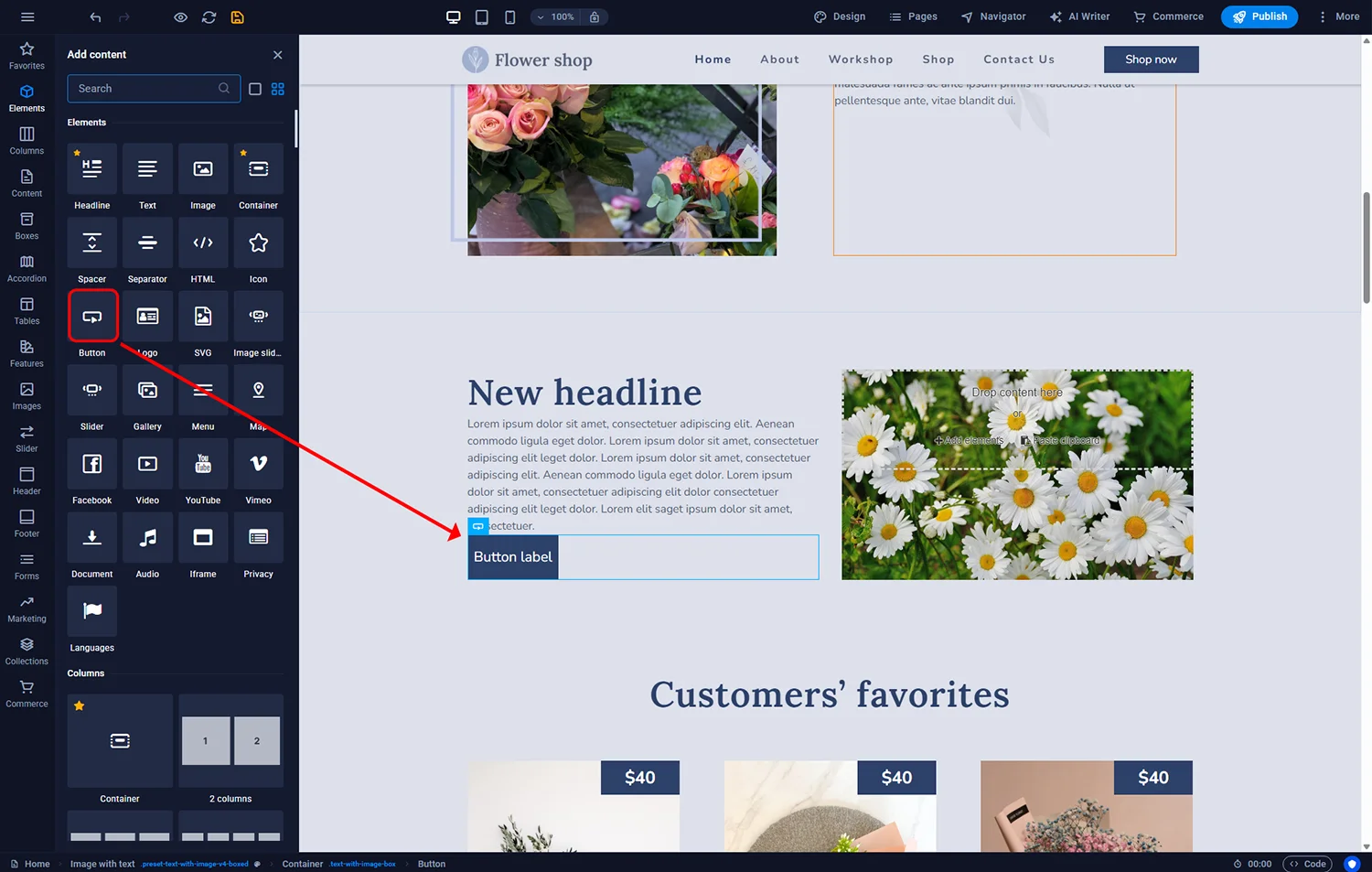
If a tile does not contain an element you need (for example, you want a button under the text in a tile that does not have one), open the Elements icon in the left sidebar, pick the element you want (Button, Icon, Divider) and drag it to the target position inside the tile. A green line indicates where it will land.
¶ Copy tips for tile content
- Headings: specific and benefit-focused. “We fix your boiler the same day” beats “Our Services”.
- Body: two to four sentences per tile. If you need more, split into a dedicated page and link to it.
- Images: show real work and real people where possible. Generic stock photos of smiling office workers reduce trust with UK SME audiences.
- Buttons: one CTA per tile is usually enough. Multiple CTAs in one tile split attention.
¶ FAQ
Can I save a custom tile for reuse on other pages?
Sitejet does not have a native “save as template” for custom tiles, but you can copy a section (right-click → Copy) and paste it on another page within the same site.
Why does changing one tile also change others?
If you selected the same tile variant twice on the same page, some style changes propagate via the shared CSS class. Change the Preset Class in the Style tab to isolate the second tile.
How many tiles should a page have?
Three to six tiles in a services/features section is a good rule. More than eight starts to overwhelm and visitors skim rather than read.
Can I reorder tiles on the page?
Yes — enable the Navigator panel, then drag tile containers up or down in the tree. Changes are reflected immediately in the editor view.
Do tiles stack on mobile?
Automatically. A three-column tile becomes a single column stacked vertically on narrow screens. Preview via the phone icon in the top toolbar to verify spacing looks right.
Can I use icons instead of images in tiles?
Yes. Many tile layouts have an icon variant. For others, delete the image and drop an icon element from the Elements library into its place.