¶ Entering and optimising SEO settings in Sitejet Builder
SEO settings determine how your website appears in search engine results and on social media previews. Sitejet Builder exposes two layers: global settings that apply site-wide, and per-page overrides that let you tailor each page individually. This guide walks through both, explains the fields that matter, and gives UK-specific ranking tips for small businesses.
¶ Global SEO settings
To open the global SEO panel: top menu of the editor → More → SEO Settings.
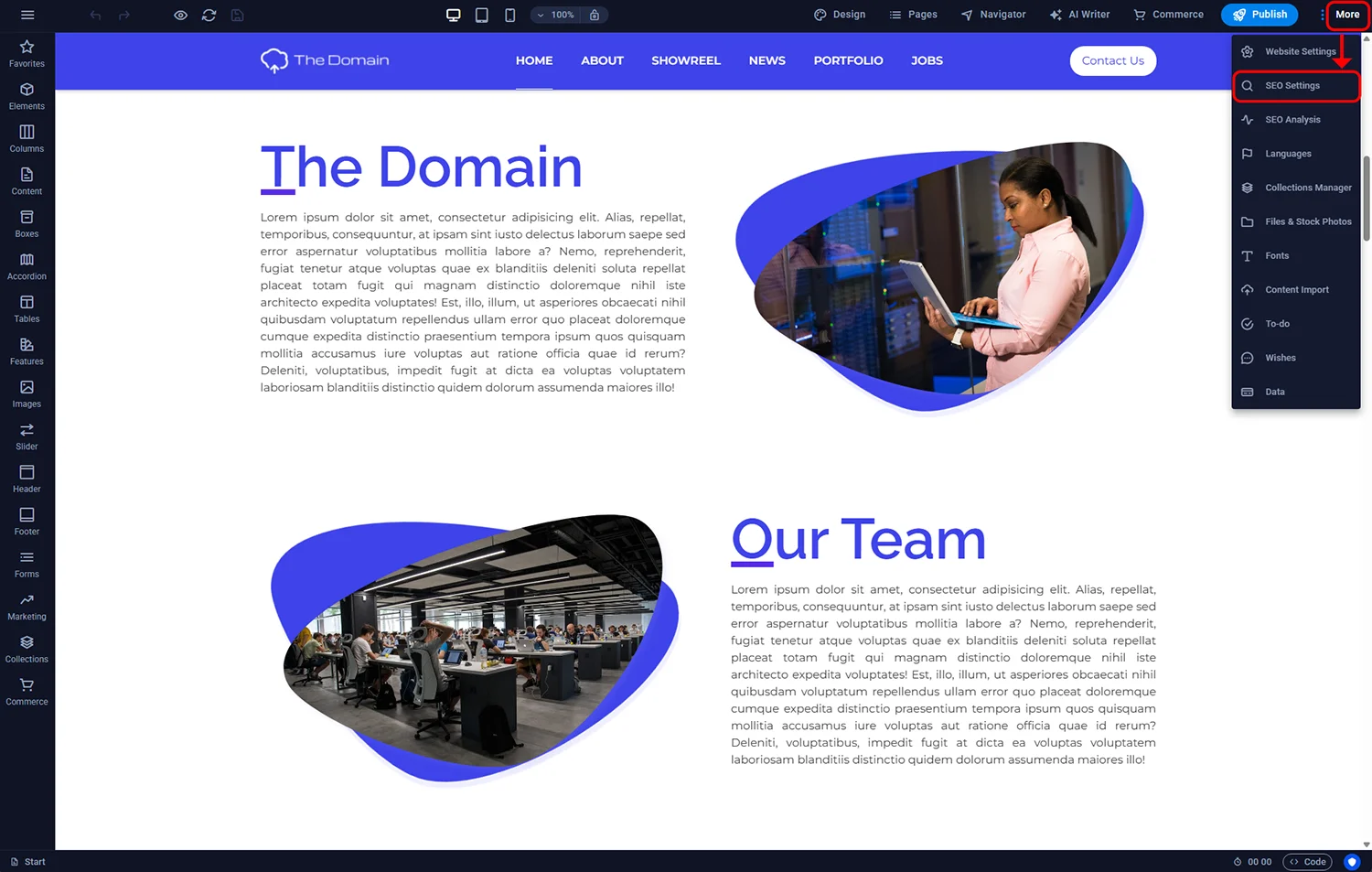
Here you configure defaults used across the entire site:
- Site title — appears in the browser tab and is the default for search result titles when a page has no specific title
- Site description — default meta description for pages that do not define their own
- Keywords — legacy field; modern search engines largely ignore it, but filling it does no harm
- Open Graph image — default preview image for social media sharing (Facebook, LinkedIn, WhatsApp)
- Favicon — the small icon in the browser tab
- robots.txt — whether search engines can index the site; keep enabled for production
¶ Per-page SEO settings
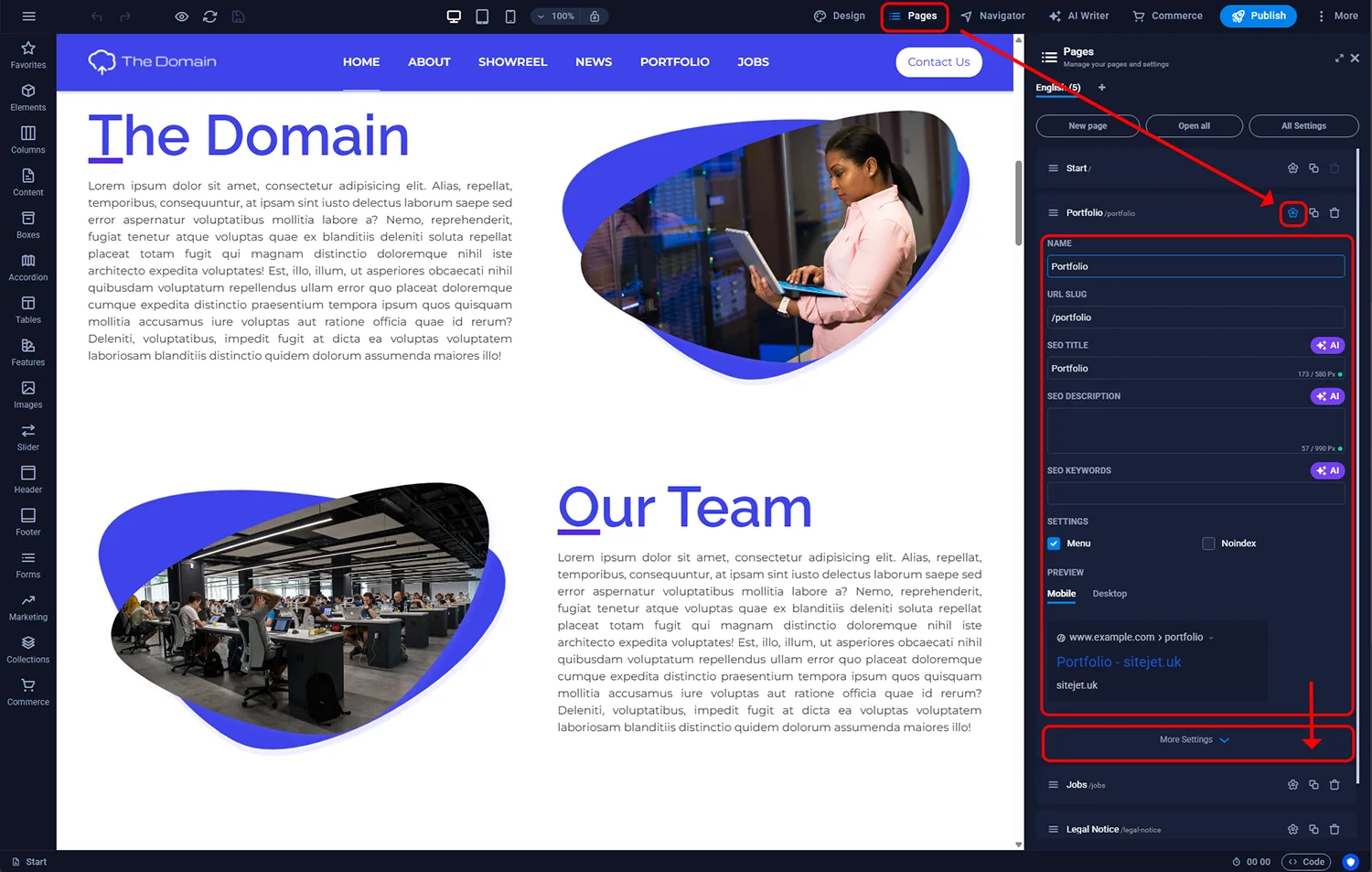
Each page can override the global defaults. Open the Pages tab (left sidebar), click the cog icon next to a page, and open the SEO section. Here you configure:
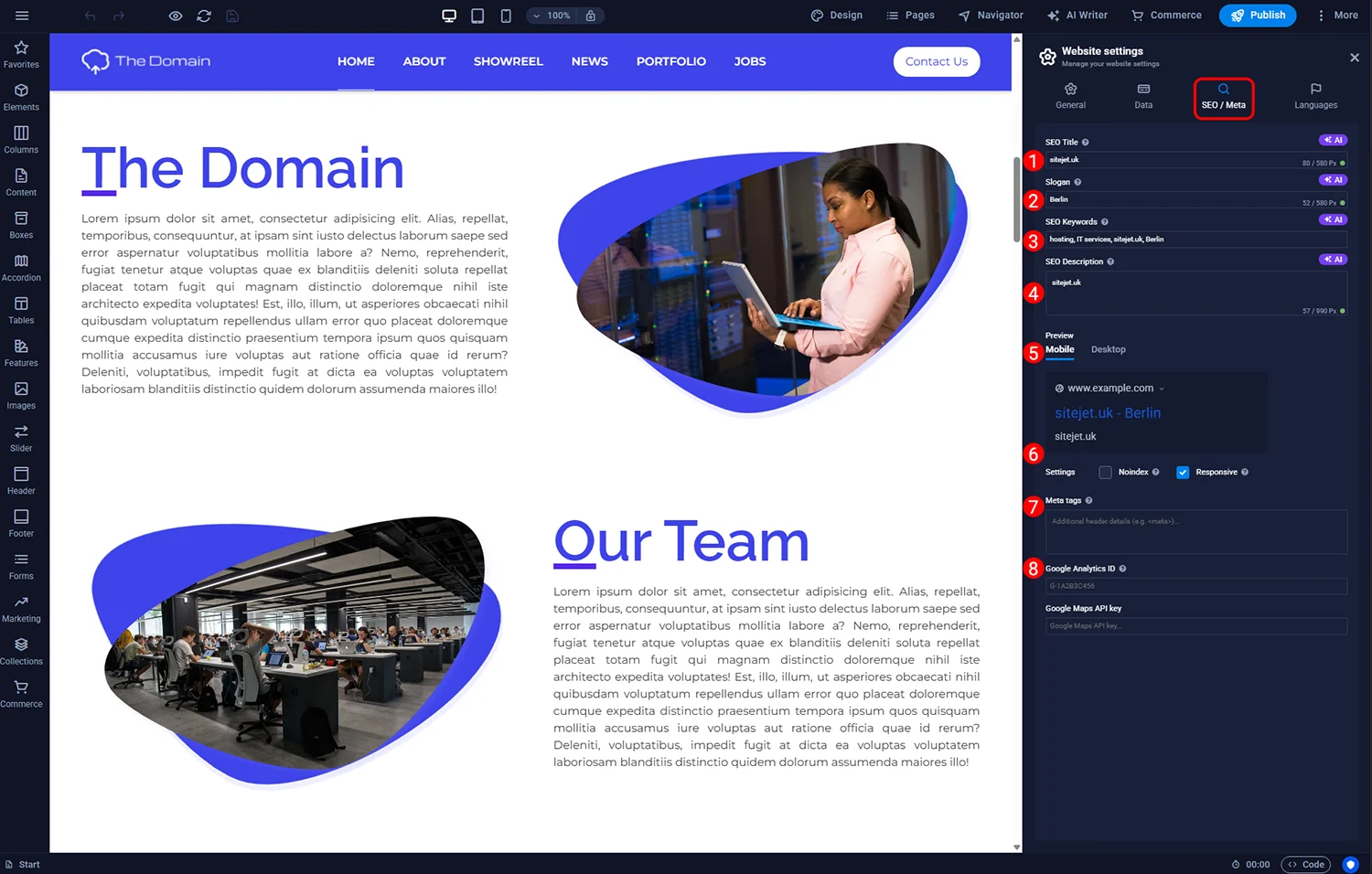
¶ Page title (H1 vs meta title)
There are two related fields to understand:
- Heading (H1) — the big visible title at the top of the page
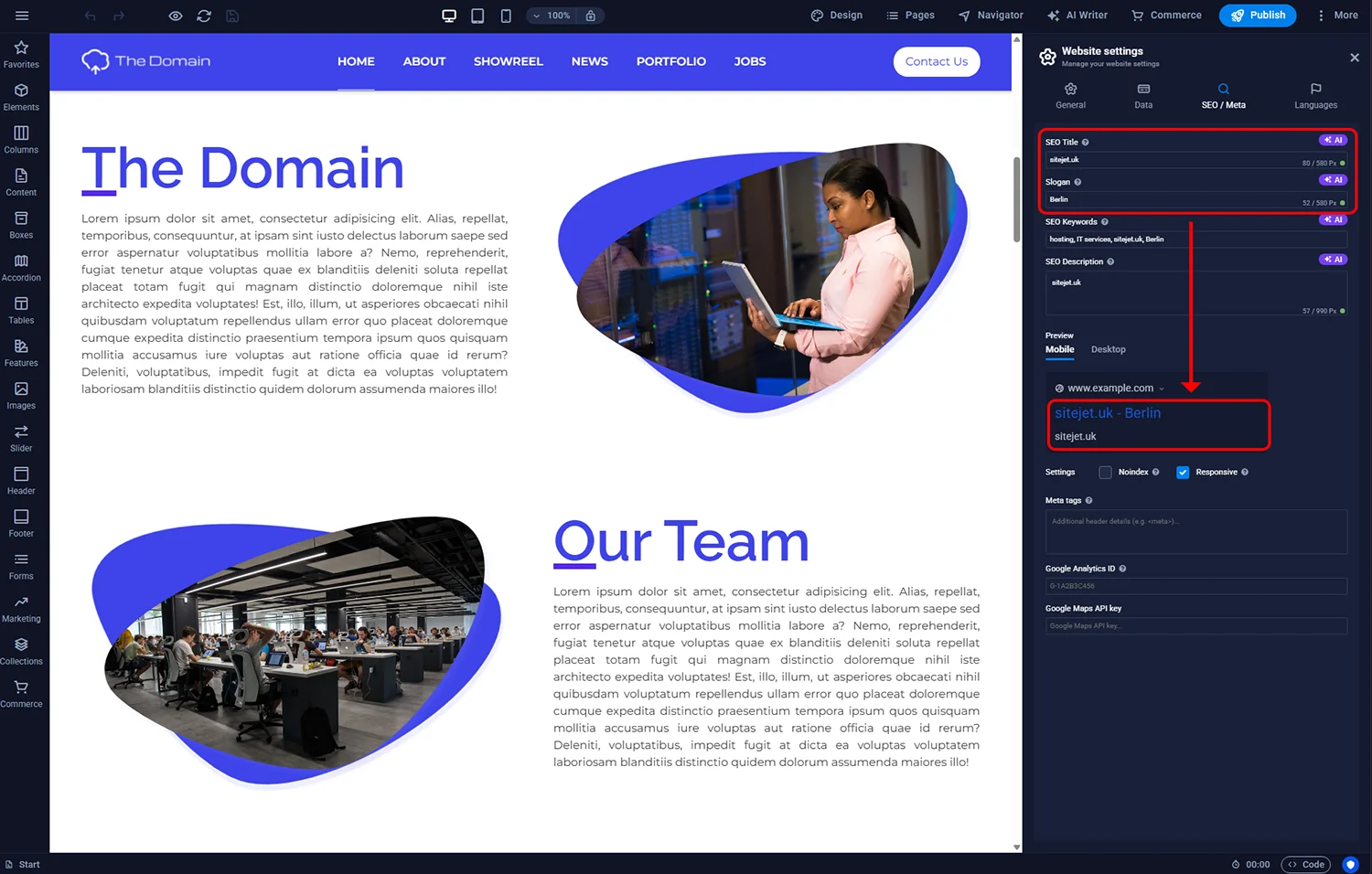
- Meta title — the text in search results and the browser tab; often slightly different to fit Google’s 50–60 character target
Example for a plumbing page:
- H1: “Emergency Plumbing Services in Bristol — Same-Day Response”
- Meta title: “Emergency Plumber Bristol | 24/7 Same-Day Response | Firm Name”
¶ Meta description
A 150–160 character summary shown in search results. Aim to describe the page, include the primary keyword once, and tease enough detail to earn the click. Google sometimes rewrites descriptions, but a well-written one is usually kept.
¶ URL slug
Keep slugs short, keyword-relevant and lowercase-hyphen-separated. For the plumbing page: /emergency-plumber-bristol beats /page-35-services-level-2.
¶ Canonical URL
Usually leave blank (Sitejet auto-sets the correct canonical). Set it only if you intentionally have multiple URLs showing identical content and need to point to the master version.
¶ Indexability
Optional flag to hide a page from search engines. Useful for thank-you pages, admin-only pages, or staging content.
¶ Open Graph (social sharing)
Separate image, title and description that appear when the page is shared on Facebook, LinkedIn, Slack, WhatsApp. If unset, the global OG image applies. Worth setting per-page for key marketing pages (home, main service pages) so each has a distinctive preview.
¶ UK-specific ranking tips
¶ Include the town or region
If you serve a specific area, the town or region name should appear in:
- Your H1 (“Accountants in Leeds”)
- Your meta title (“Accountants Leeds | Firm Name”)
- Body copy naturally throughout
- Alt text on images where relevant (“Firm Name office in Leeds city centre”)
¶ Set up Google Business Profile
Crucial for local SEO. Create a free Google Business Profile, verify the business at your address, and keep it updated with opening hours, photos and responses to reviews. This is what powers the “3-pack” local map results on Google.
¶ Collect genuine UK reviews
Trustpilot, Google reviews and sector-specific platforms (Checkatrade for trades, Trust A Trader, Bark) all feed into ranking and trust signals. Make it easy for happy customers to leave a review by linking directly in your follow-up emails.
¶ Speed matters on mobile
Google’s Core Web Vitals are a direct ranking factor. Test via PageSpeed Insights. Compress images, avoid unnecessary scripts, and rely on Sitejet’s built-in caching.
¶ Structured data
Sitejet auto-generates some schema markup (WebPage, Organization). For local businesses, manually ensure LocalBusiness schema captures your address, hours and phone — this enables rich results like knowledge panels.
¶ FAQ
How long before SEO changes show up in Google?
Usually two to four weeks for existing pages, sometimes longer for brand-new sites. Patience matters — SEO rewards consistency over months and years, not days.
How many keywords should a page target?
One primary keyword and one or two related ones. Stuffing multiple keywords hurts more than it helps — Google treats it as spam.
Do meta keywords still matter?
Google has ignored them for over a decade. Bing gives minor weight. Filling the field is low-effort and does no harm, but do not rely on it.
What is the ideal meta description length?
140–160 characters. Longer gets truncated in search results. Shorter is fine if it communicates the value clearly.
Does my site need an XML sitemap?
Yes. Sitejet generates one automatically at /sitemap.xml. Submit it once to Google Search Console to speed up initial indexing.
Should I use British or American spelling?
British spelling for UK audiences. Google considers spelling when matching queries — searchers in the UK typing “optimise” expect pages with “optimise”, not “optimize”.