¶ How to order and launch a Sitejet Builder site on smartxhosting.uk
This guide walks you through the full ordering flow for Sitejet Builder Hosting on smartxhosting.uk — whether you are registering a brand-new domain at the same time or attaching one you already own — and what to do in the client area and Plesk control panel afterwards so you can start designing your website straight away.
¶ Table of contents
What you get with a Sitejet Builder plan • Route A: ordering with a new domain • Route B: ordering with an existing domain • After ordering — the client area • Launching the Sitejet editor • Troubleshooting • FAQ
¶ What you get with a Sitejet Builder plan
A Sitejet Builder plan on smartxhosting.uk bundles three things into a single GBP 5/month subscription: UK-based hosting (server space, SSL and backups), access to the Sitejet drag-and-drop editor with 170+ templates, and optional domain registration if you need one. Everything sits behind the smartxhosting.uk client area (WHMCS) and the Plesk control panel — no separate logins for hosting, DNS and editor.
¶ Route A — Ordering with a new domain
¶ 1. Choose the Sitejet Builder product
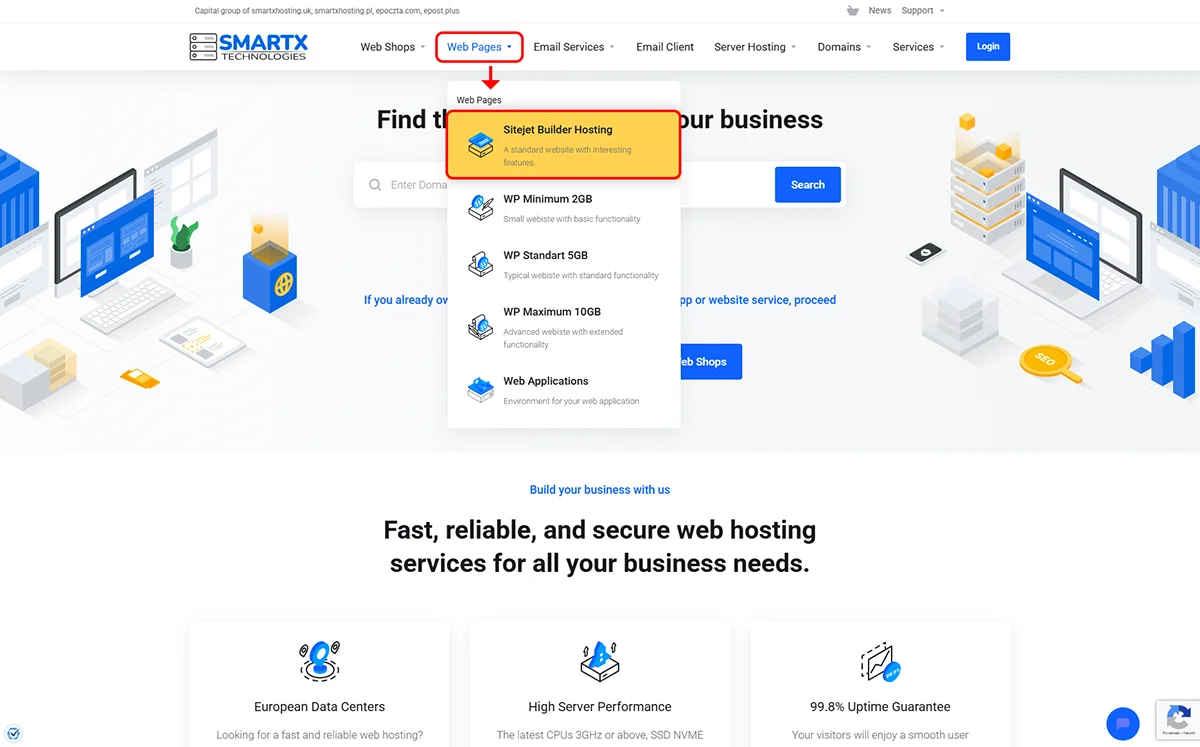
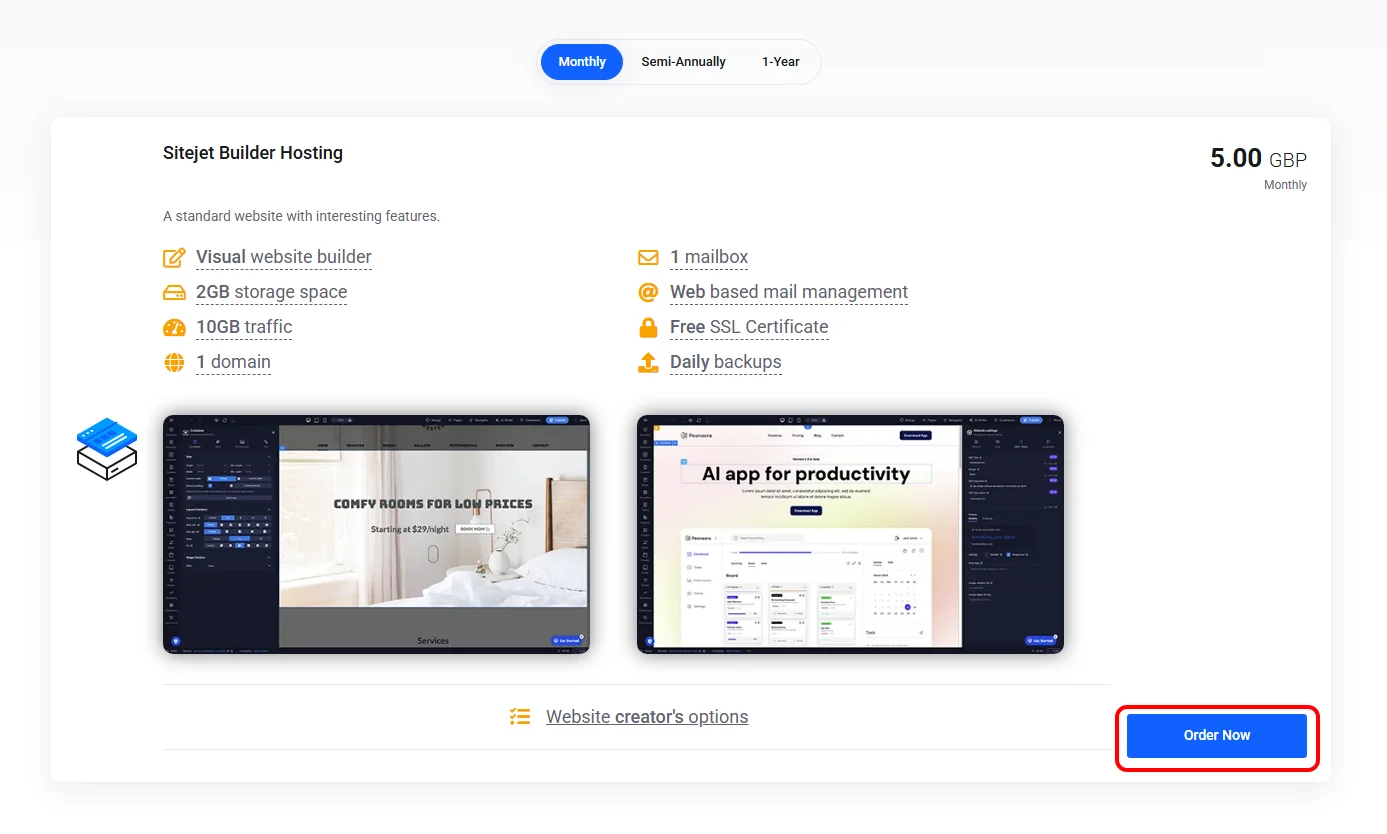
Go to smartxhosting.uk/sitejet-builder and click Order now. This adds the Sitejet Builder Hosting product to your basket and takes you to the configuration screen.
¶ 2. Register a new domain in the basket
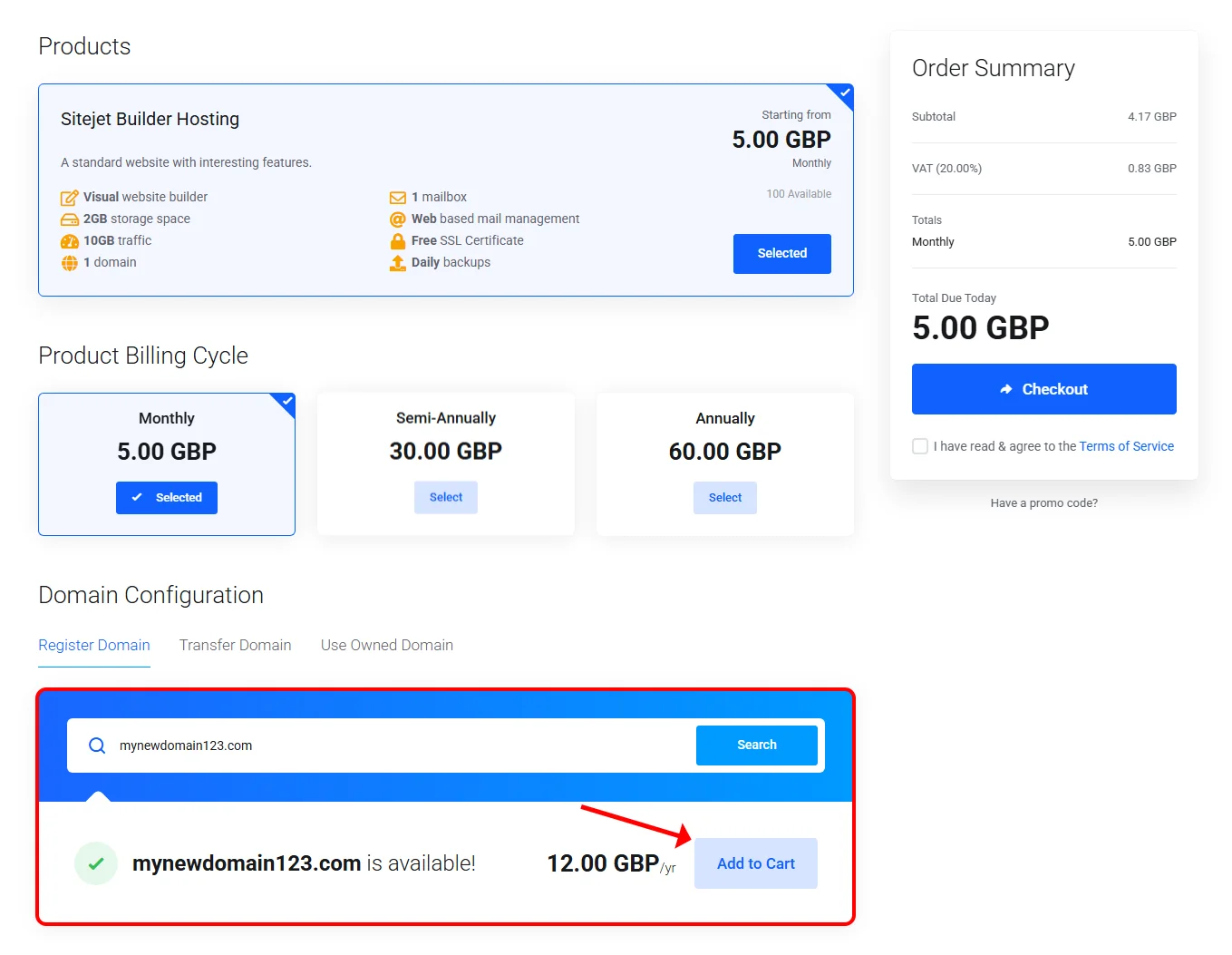
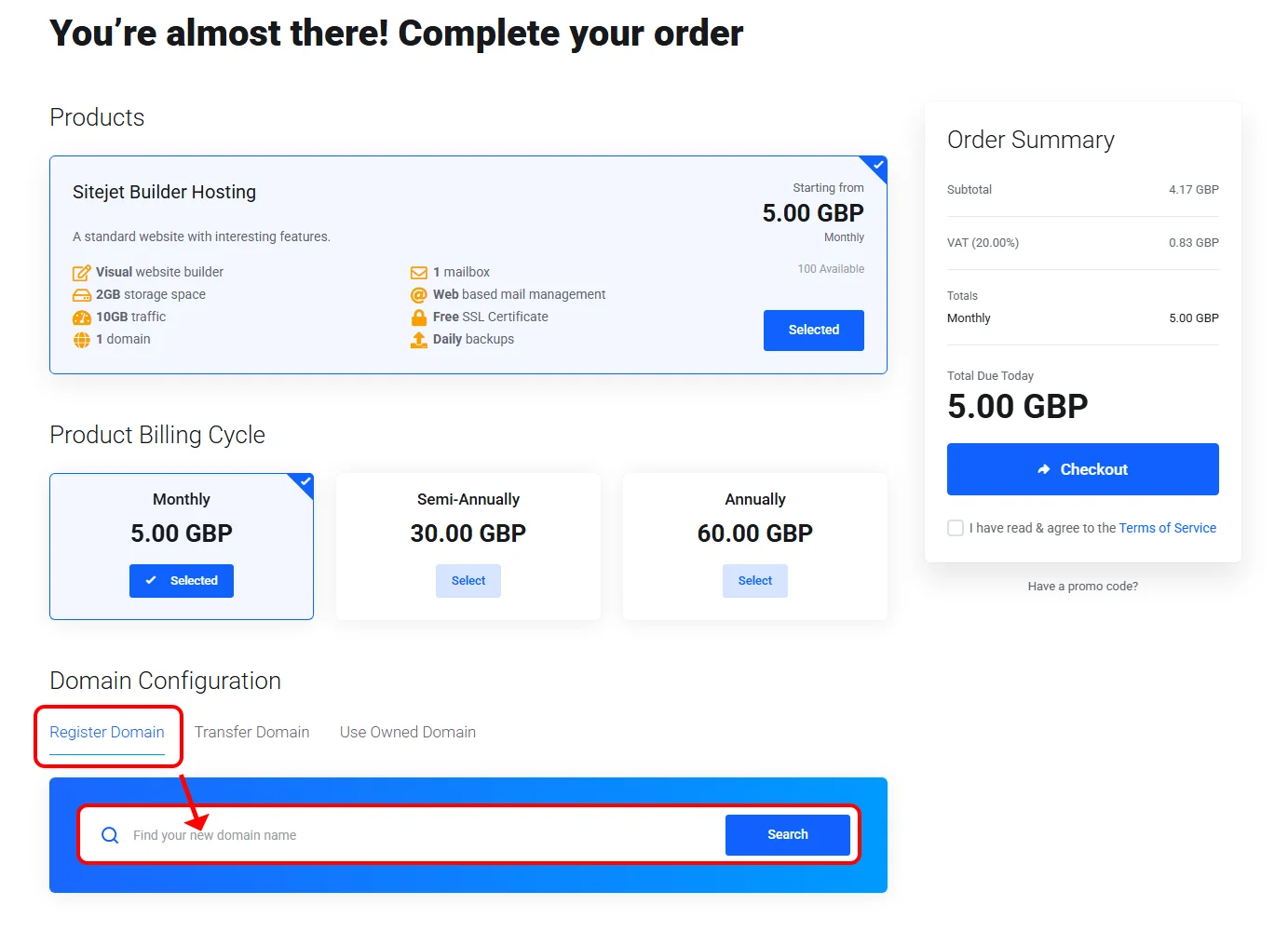
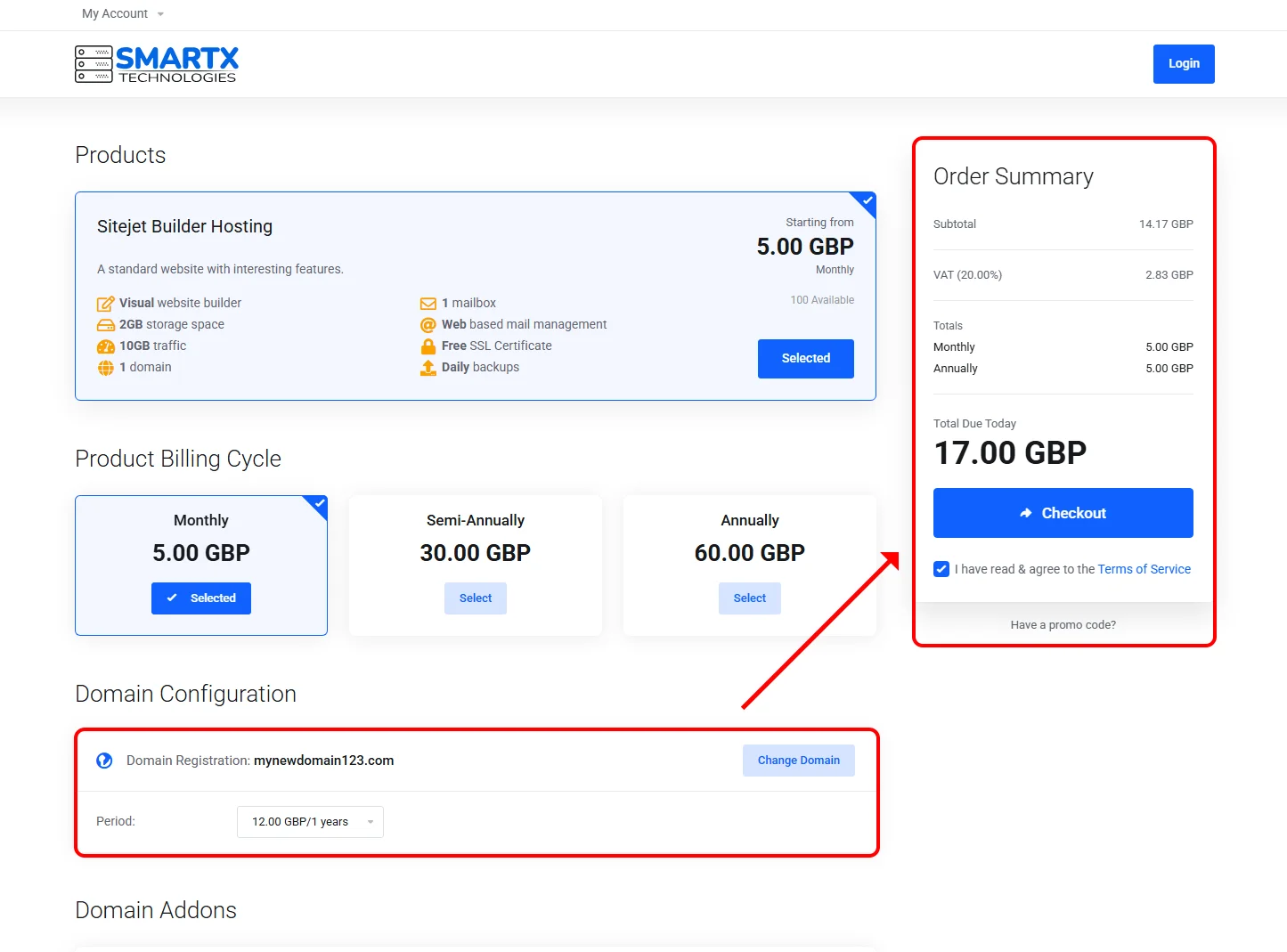
In the Domain Configuration section, switch to the Register domain tab. Type the name you want (for example manchester-marketing.co.uk) and click Search. If the domain is available you will see a green confirmation — click Add to cart to include it in the order.
Popular UK TLDs available include .co.uk, .uk, .org.uk, .ltd.uk and .com. Pricing is shown in GBP excluding VAT, with VAT calculated at checkout for UK-registered customers.
¶ 3. Check out and pay
Proceed to checkout, create a client account (or sign in if you have one) and choose your payment method:
- Stripe — card payments. Service activates instantly on successful transaction.
- Bank transfer — invoice issued immediately; service activates once the payment is credited (typically same or next working day for UK transfers).
Because the domain is registered through smartxhosting.uk, its DNS is automatically delegated to our Cloudflare name servers — you do not need to change any DNS settings yourself. Route A is therefore the fastest path to a live site.
¶ Route B — Ordering with an existing domain
¶ 1. Choose the product and enter your domain
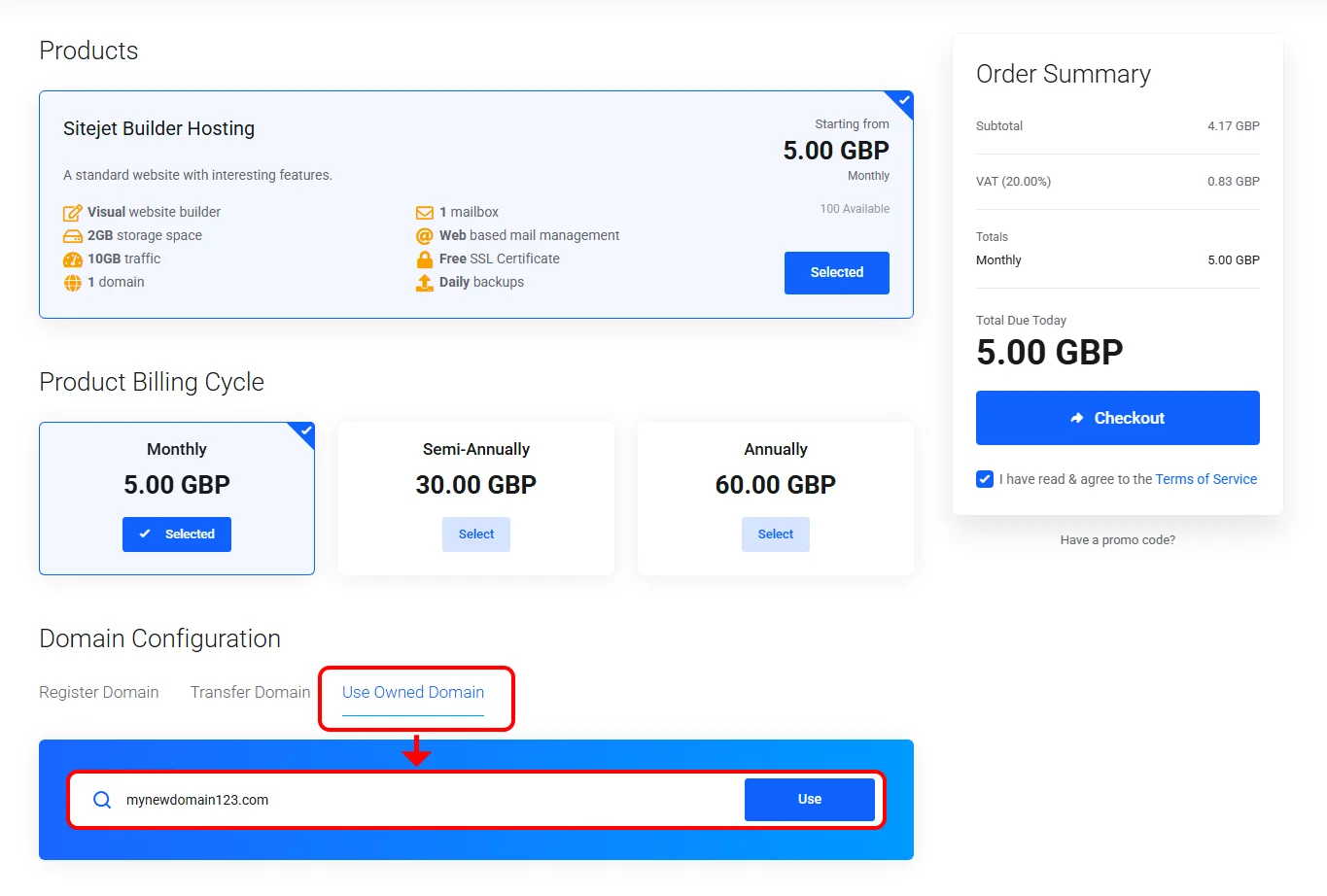
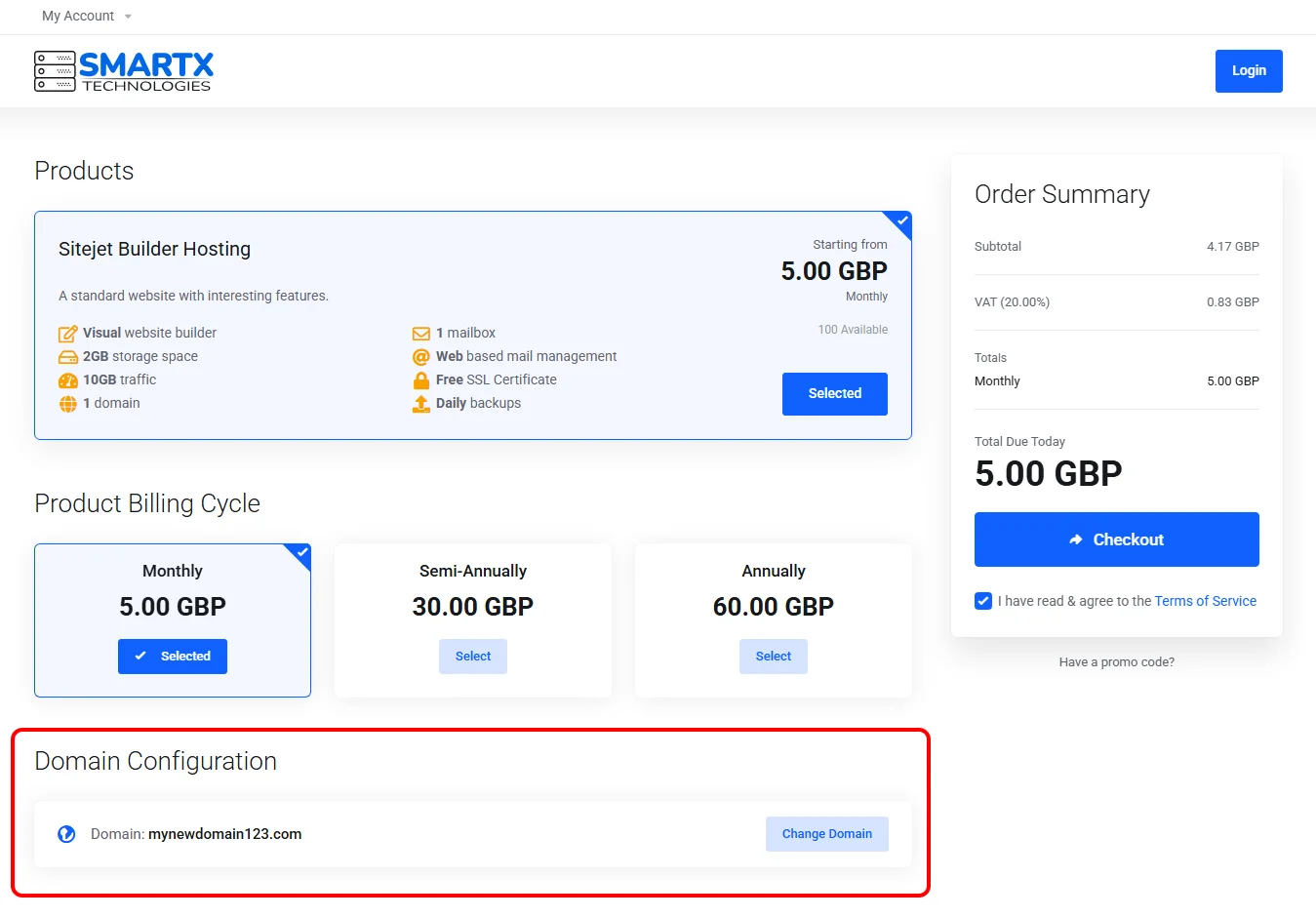
Start exactly as in Route A by adding Sitejet Builder Hosting to the basket from smartxhosting.uk/sitejet-builder. In the Domain Configuration step, switch to the Use owned domain tab, type the domain (for example my-existing-shop.co.uk) and click Use.
¶ 2. Complete the order
Check out and pay as in Route A. After ordering, the service is provisioned against your domain, but it will not resolve until you update DNS at your current registrar.
¶ 3. Point your domain DNS to smartxhosting.uk
Log into your existing registrar (for example 123-reg, IONOS, GoDaddy UK) and open the DNS or name server settings for the domain. Replace the existing name servers with:
zac.ns.cloudflare.comDNS 2:
kallie.ns.cloudflare.com
Save changes and allow up to a few hours for the DNS change to propagate across the UK (in practice most transfers happen within 20–30 minutes). While propagation is in progress you can still log in and start building the site — it just will not be visible on your domain until DNS catches up.
¶ After ordering — the client area
¶ 1. Confirm the service is active
Sign in at smartxhosting.uk/clientarea.php and open Services → My services. Your Sitejet Builder Hosting row should show status Active.
If it shows Pending, the payment has not yet been credited (common when paying by bank transfer). No action needed — activation is automatic once the payment arrives.
¶ 2. Open the service details
Click the service row to open its details page. You will see:
- Billing period and next renewal date
- Assigned domain
- SSL certificate status (Let’s Encrypt, issued automatically once DNS resolves)
- Shortcuts to DNS settings and Plesk
¶ Launching the Sitejet editor
¶ 1. Open Plesk
From the service details page, click the Plesk tile. You are signed into Plesk automatically — no separate password to remember.
¶ 2. Open the Get started tab
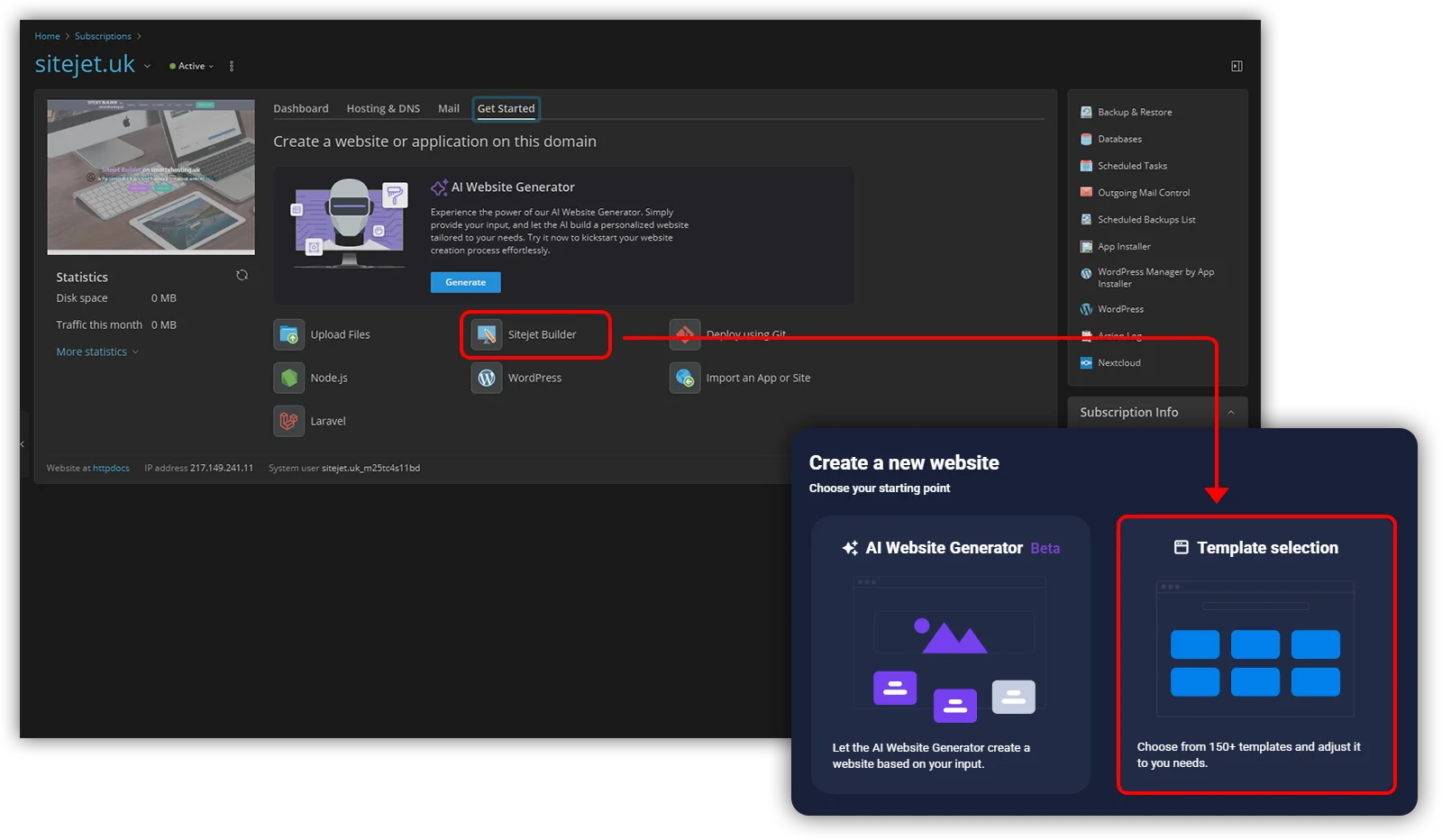
Inside Plesk, open the Get started tab. You will see two options:
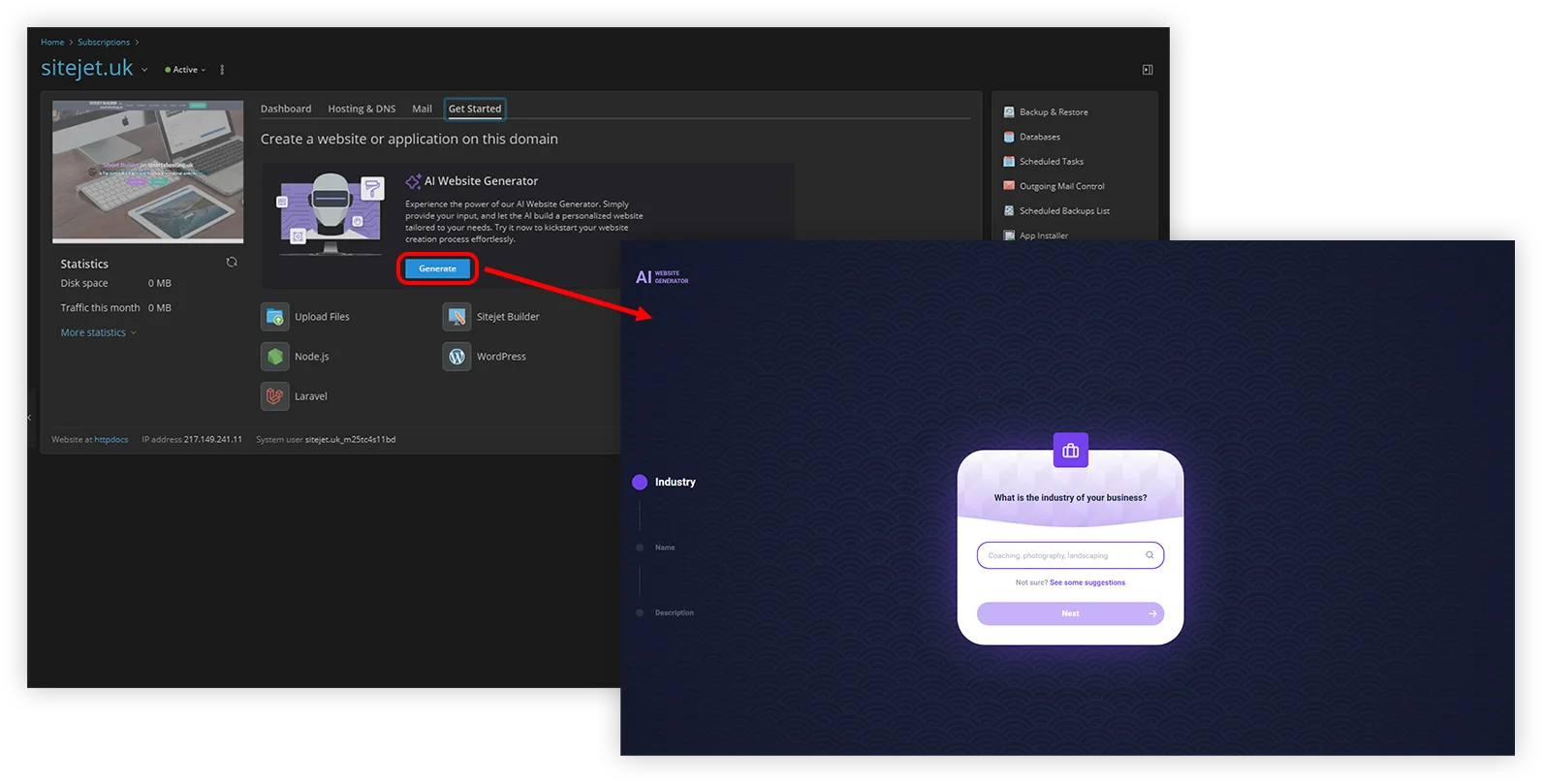
- AI Website Generator — answer a few questions about your business and Sitejet generates an initial layout and placeholder content for you to edit. Useful when you are starting from scratch and want a baseline to customise.
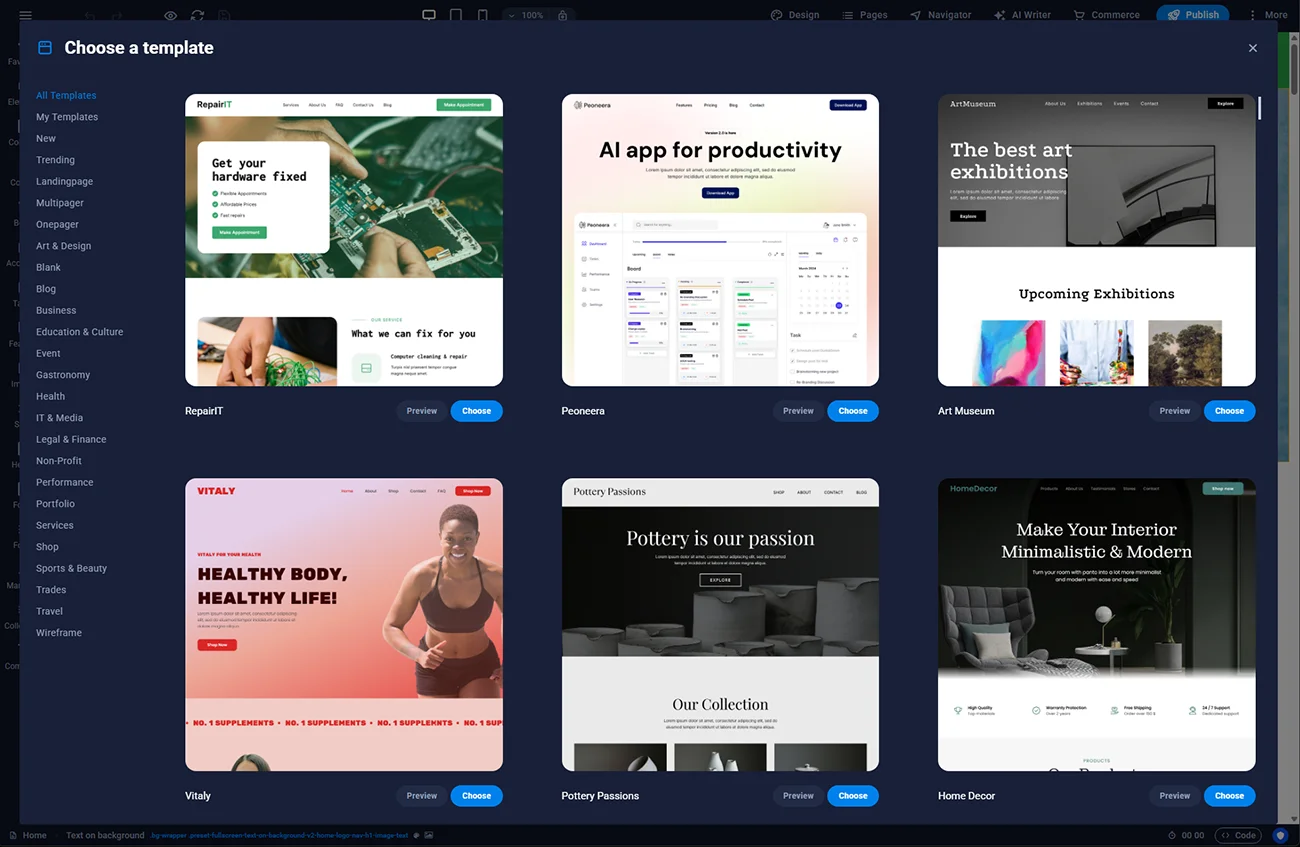
- Sitejet Builder Editor — open the full editor, pick a template from the 170+ catalogue and build the site step by step.
¶ 3. Return to editing later
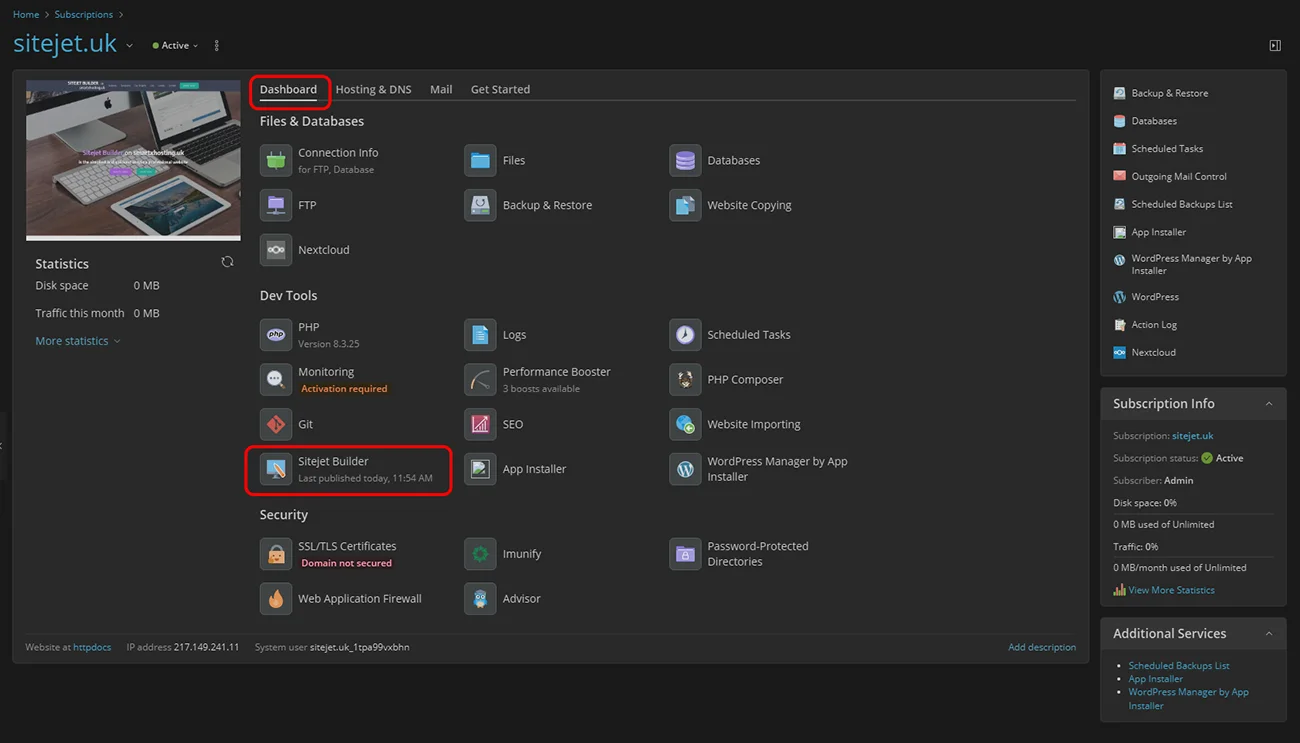
Once your site is published, the editor closes back to Plesk. To re-open the editor on any later visit, open the Dashboard tab in Plesk and click the Sitejet Builder button on the domain card.
¶ Troubleshooting
- Service still pending after 24 hours — check if the invoice in the client area is marked paid. If bank transfer shows unpaid, the payment has not reached us. Open a support ticket — no account login required.
- Domain does not resolve (Route B) — use a DNS checker such as whatsmydns.net to confirm the nameservers are updated. Propagation is never instant and can take up to 24 hours for some UK ISPs.
- SSL padlock missing — Let’s Encrypt can only issue a certificate once the domain resolves to our server. Wait for DNS to propagate first.
¶ FAQ
How quickly can I be live after ordering?
With Route A (new domain + Stripe payment), the service is active within a minute or two and you can start editing straight away. With Route B the domain itself resolves once DNS propagates — usually well under an hour in the UK, sometimes a few hours.
Do I need to know HTML or CSS to use Sitejet Builder?
No. The editor is fully drag-and-drop. You can add custom HTML and CSS if you want to, but nothing in the standard workflow requires code.
Can I move to a different domain later?
Yes. You can change the assigned domain from the client area. If it is a new domain at smartxhosting.uk, there is no additional configuration. If it is externally hosted, you will need to point its DNS the same way as described in Route B, step 3.
Is the Sitejet Builder licence tied to my hosting?
Yes. The licence is included in the GBP 5/month plan and is valid for as long as you host the site on smartxhosting.uk. If you cancel the hosting, the licence stops — but you can export your full site as a ZIP archive and move it elsewhere, because Sitejet Builder exports static HTML/CSS/JS without lock-in.
Does the price include VAT?
Pricing on product pages is shown ex VAT. VAT at the standard UK rate is added at checkout for UK-registered customers. Non-UK customers (outside the UK VAT area) are billed at 0% VAT with reverse-charge rules where applicable.
Do you offer refunds if I change my mind?
Yes, within 14 days of ordering per the UK Consumer Contracts Regulations for digital services not yet substantially used. Domain registrations are non-refundable once registered (they are paid to the registry upstream).