¶ Changing the Sitejet website template
A Sitejet template is a pre-built layout — header, banner, content sections, footer, pages — that you use as a starting point and then customise. There are 170+ templates in the Sitejet library, covering most common UK small-business categories: trades, retail, hospitality, health, professional services, nonprofit, SaaS and portfolio.
If you start with a template and then decide another one fits your brand better, you can swap it — but the swap is destructive. This guide explains what happens, how to do it safely, and when to avoid it.
¶ What a template gives you
- Responsive layout — works on desktops, tablets and phones without per-device design work
- Editable sections — every text, image, button and background is changeable
- Starting copy — placeholder headings and body text you can replace with your own content
- Standard structure — typically home, about, services, contact, plus category-specific pages (menu for restaurants, gallery for photographers, and so on)
- Brand-ready components — pre-configured colour palettes and fonts that you override via the theme panel
¶ When it is safe to swap, and when it is not
- Safe. You picked a template, looked at the home page, realised the style is wrong for your business, and have not yet entered any real content. Swap away — nothing of value is lost.
- Risky. You have added a few pages, uploaded real photography and written your home-page copy. A swap loses all of that.
- Do not swap. Your site is live, customers have bookmarked pages, you have SEO rankings. Never swap at this stage — it is a full rebuild, not a theme change. Instead, use the theme panel to change colours, fonts and styles while keeping your content intact.
¶ Steps to change the template
- Open Sitejet Builder from Plesk (Dashboard → Sitejet Builder on the domain card).
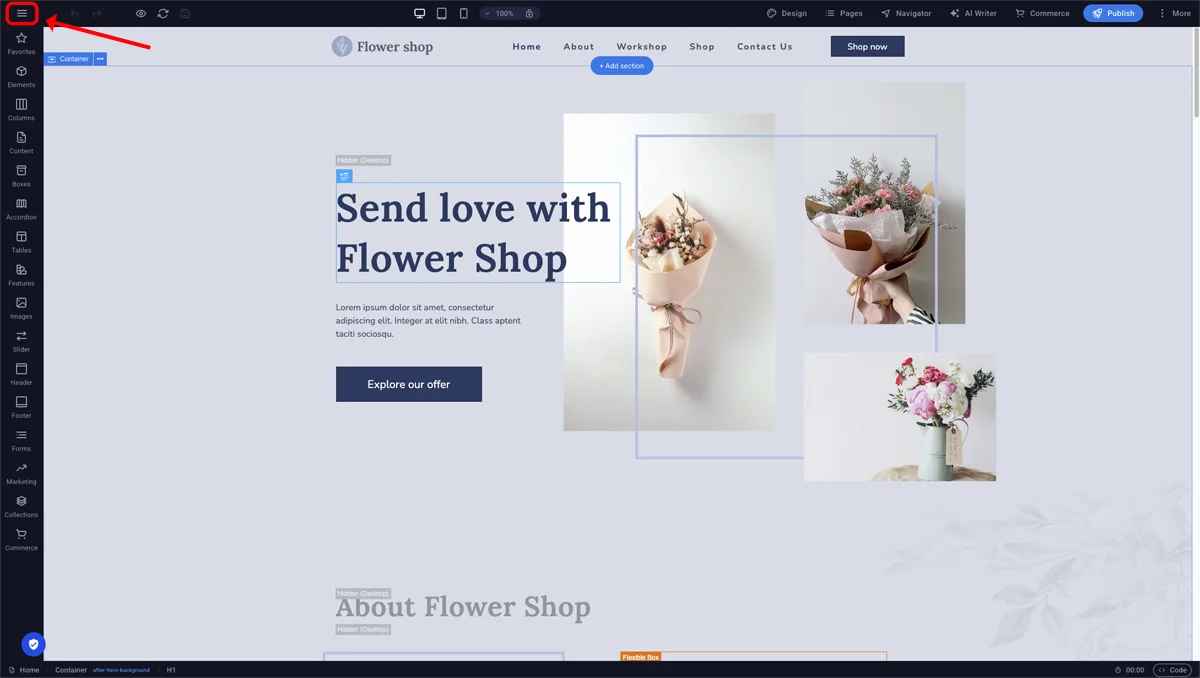
- Click the three-line menu icon at the top-left.
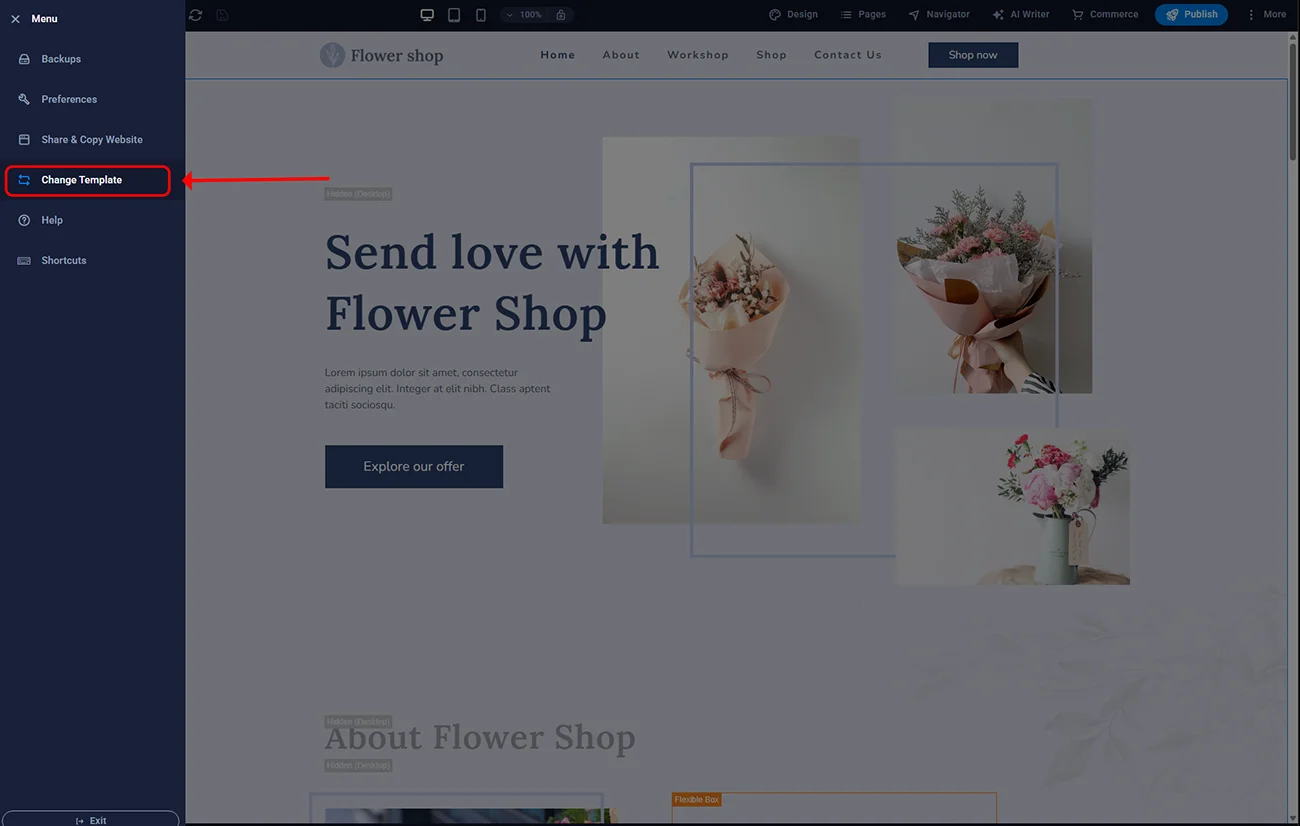
- Select Change template.
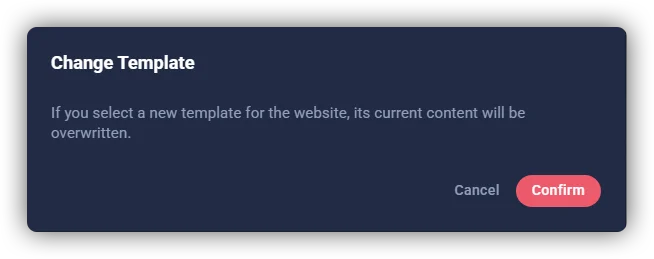
- A warning dialog appears confirming the current site will be overwritten. Read it carefully.
- Click Confirm.
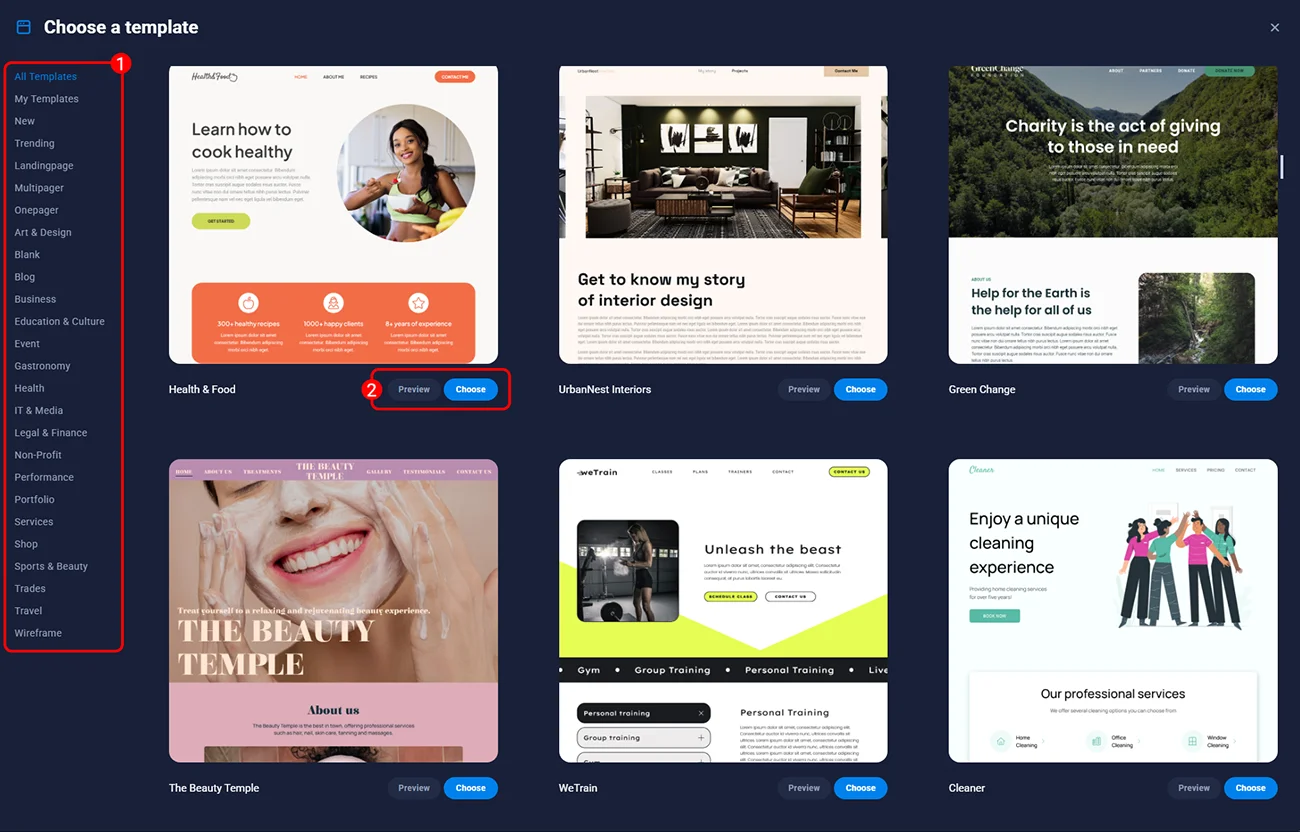
- The template catalogue opens. Browse, filter by category, and click the one you want.
- Sitejet applies the new template. The editor reloads showing the new default content, ready for you to customise.
¶ Alternatives to a full swap
¶ Change colours and fonts only
If you like the structure but not the look, open Theme → Design. You can change the primary colour, secondary colour, heading font, body font and spacing scale without affecting any content. Your site re-themes instantly while keeping every page intact.
¶ Change individual sections
If one specific section (for example the pricing table) looks wrong, open the Sections library in the left sidebar, find a better variant, drag it in, and remove the old section. This is targeted: you lose only that section’s content, not the whole site.
¶ Export before changing
If you have put work into a site but still want to experiment with a different template, export the current site as a ZIP archive first (Menu → Export). You keep a copy of the HTML/CSS and can refer back to it if the new template turns out worse.
¶ FAQ
Can I restore the previous template?
Only by manually picking the original template again from the catalogue. It will be the default version — your customised content is not restored.
Do I need to republish after a template swap?
Yes. The swap is a draft operation in the editor. Your live site at the domain does not change until you publish.
Do template swaps cost extra?
No. All 170+ templates are included in the GBP 5/month Sitejet Builder Hosting plan on smartxhosting.uk. There are no premium templates or in-app purchases.
Will an SEO-ready template help me rank?
The template provides the technical foundation (clean HTML, mobile responsiveness, fast loading). Ranking still depends on your content, target keywords, local SEO signals and site age. A good template is necessary but not sufficient for SEO.
Can I mix elements from two templates?
Indirectly, yes. After applying template A, you can add sections from Sitejet’s general sections library (which pulls from across the template catalogue) to get pieces that look like another template. You cannot literally copy sections between templates.
Do templates come with image licences for UK business use?
The placeholder images in templates are covered by a standard royalty-free licence for use in your Sitejet Builder website. When you replace them with your own photography or stock licensed for your business, standard copyright rules apply.