¶ Changing the Sitejet editor interface language
Sitejet Builder’s editor interface (the menus, panels and dialog boxes you see while designing a page) can be displayed in any of the supported languages independently of the content of the site you are building. This is useful when non-English speakers on your team need to edit a site that will still be published in English — or the other way around.
This guide covers how to switch the interface language, where the setting is stored, and what to check if the change does not take effect.
¶ Where the setting lives
The language setting is attached to your Sitejet account rather than the individual website. That means if you change it, every site you edit under the same smartxhosting.uk subscription will show the editor in the chosen language.
¶ Steps to change the language
- Open the Sitejet editor from Plesk (Dashboard → Sitejet Builder button on the domain card).
- Click the three-line menu icon in the top-left corner of the editor window.
- Select Preferences.
- Find CMS Interface Language and open the dropdown.
- Choose your language — for example English, Deutsch, Polski, Français.
- A prompt will appear asking you to reload the editor for the change to take effect. Click Reload now.
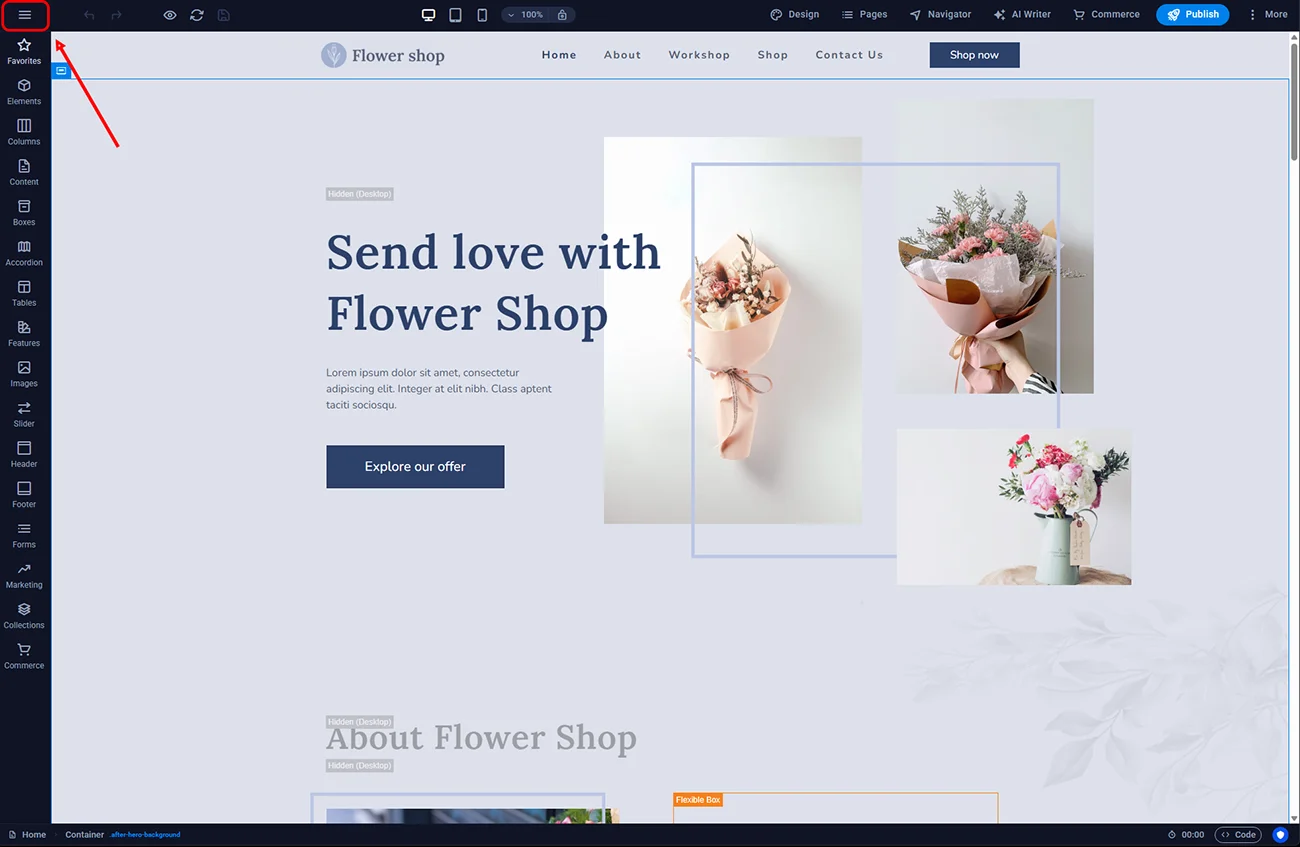
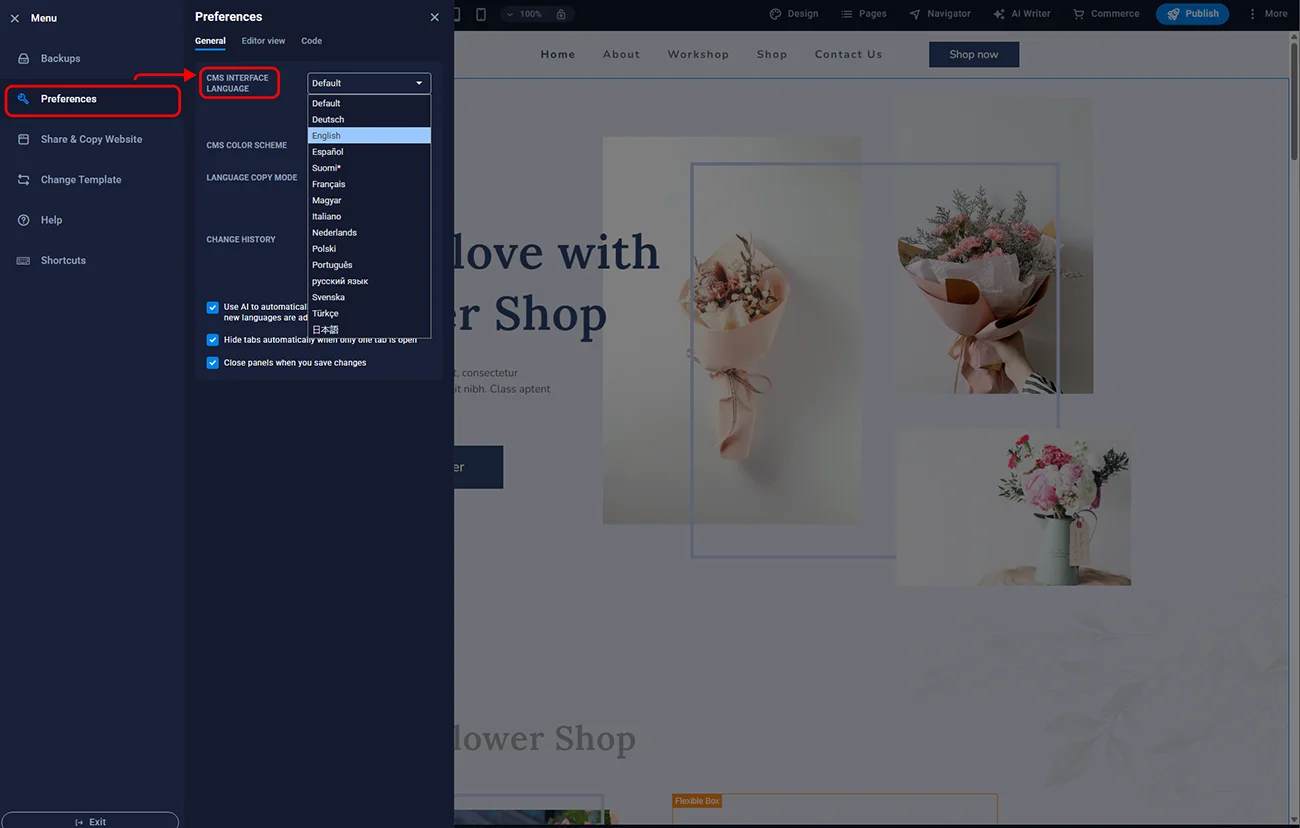
After the reload, every menu label, tooltip and confirmation dialog in the editor will appear in the newly chosen language.
¶ Supported languages
At the time of writing, the editor interface supports:
- English (default)
- German (Deutsch)
- French (Français)
- Spanish (Español)
- Italian (Italiano)
- Polish (Polski)
- Dutch (Nederlands)
- Portuguese (Português)
The list in your own Preferences dropdown is the authoritative source — Sitejet adds new translations over time and the in-editor list always reflects what is available right now.
¶ Troubleshooting
Some labels still appear in the old language after reload. Clear your browser cache for the Plesk domain and reopen the editor. Most often the issue is a cached Vue bundle.
The language I want is not in the dropdown. The list updates when Sitejet ships new locale packs. If a specific language is missing, the editor has not yet been translated into it; content on your site can still be written in any language regardless.
The reload prompt does not appear. Manually refresh the browser (F5 or Ctrl+R). The setting is already saved — the reload just applies it to the loaded editor instance.
¶ FAQ
Does the editor language affect the website’s language meta tag?
No. The <html lang> attribute of your published website comes from page-level settings you configure separately. Editor interface language is purely for you as the editor.
Can each teammate use a different interface language?
Only if they edit under different smartxhosting.uk accounts. The setting is per-account, not per-browser. If your team shares a single account, everyone sees the same interface language.
Will changing the language break my site?
No. The setting applies only to the editor UI. Your published pages are not affected in any way.
Do AI content tools work in every language?
Sitejet’s AI content helper is powered by ChatGPT and can generate content in most major languages including English, German, French, Spanish and Polish. The quality is highest in English.
Can I set British English specifically?
The interface offers a single “English” option. It uses international English phrasing, which is intelligible to both British and American readers. Your website content — which you control — can use strict British English spelling.