¶ Adding a hero banner with text in Sitejet Builder
The hero banner is the first thing a visitor sees when they land on your home page. It is the largest, highest-priority piece of real estate on your site — and for UK small businesses it is often the single biggest factor in whether a visitor stays or leaves. This guide walks through adding a hero banner in Sitejet Builder, customising its content, and using best-practice copy that actually converts.
¶ Adding the banner element
- Open the Sitejet editor and select the page where the banner should go (typically the home page).
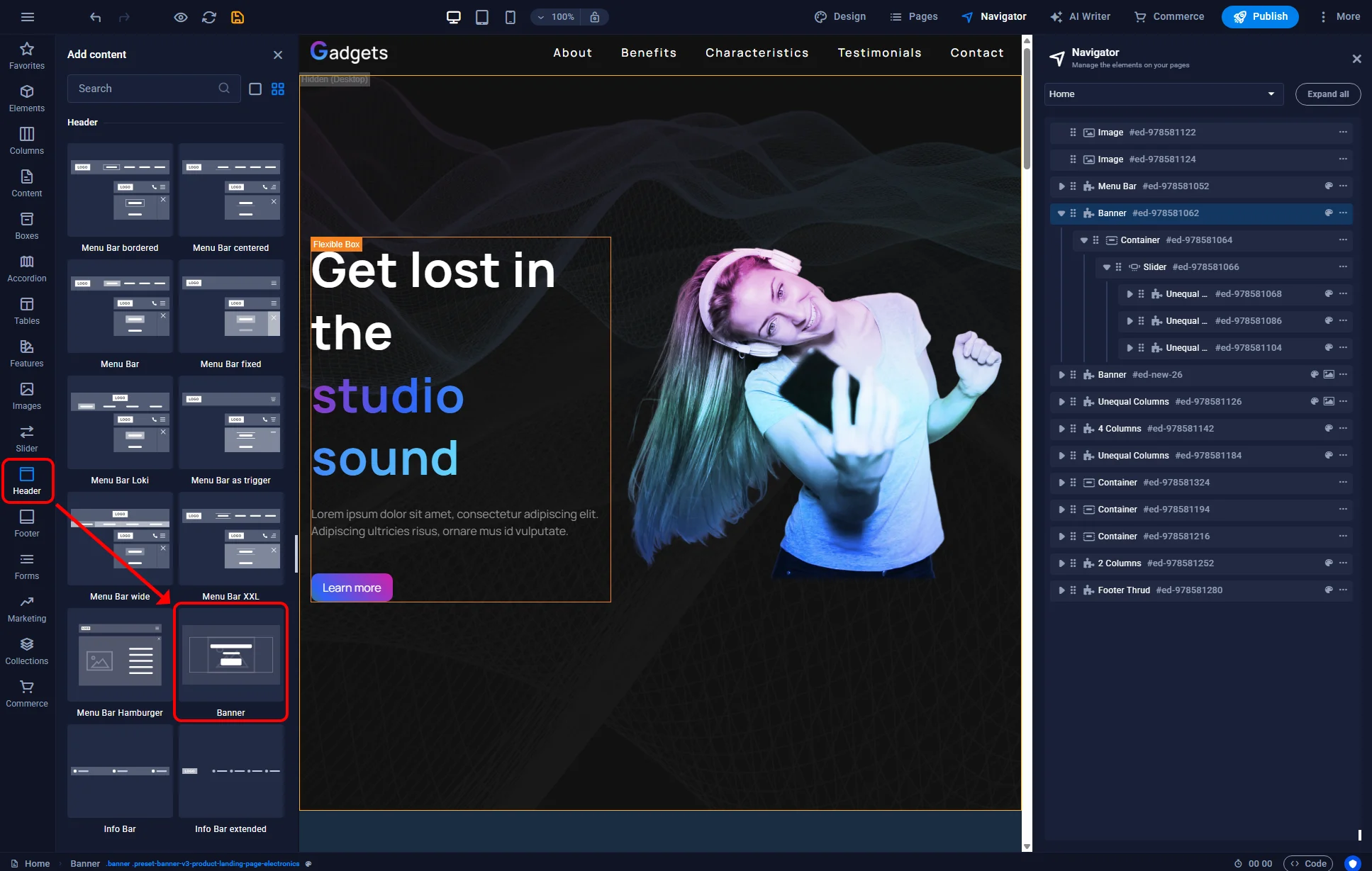
- In the left sidebar, click the Elements icon and open the Header category — banners live here because they usually sit just below the header.
- Find the Banner element and drag it into the main editor, dropping it directly below the header.
- A default banner appears with a background image, heading, subheading and call-to-action button.
¶ Configuring the banner
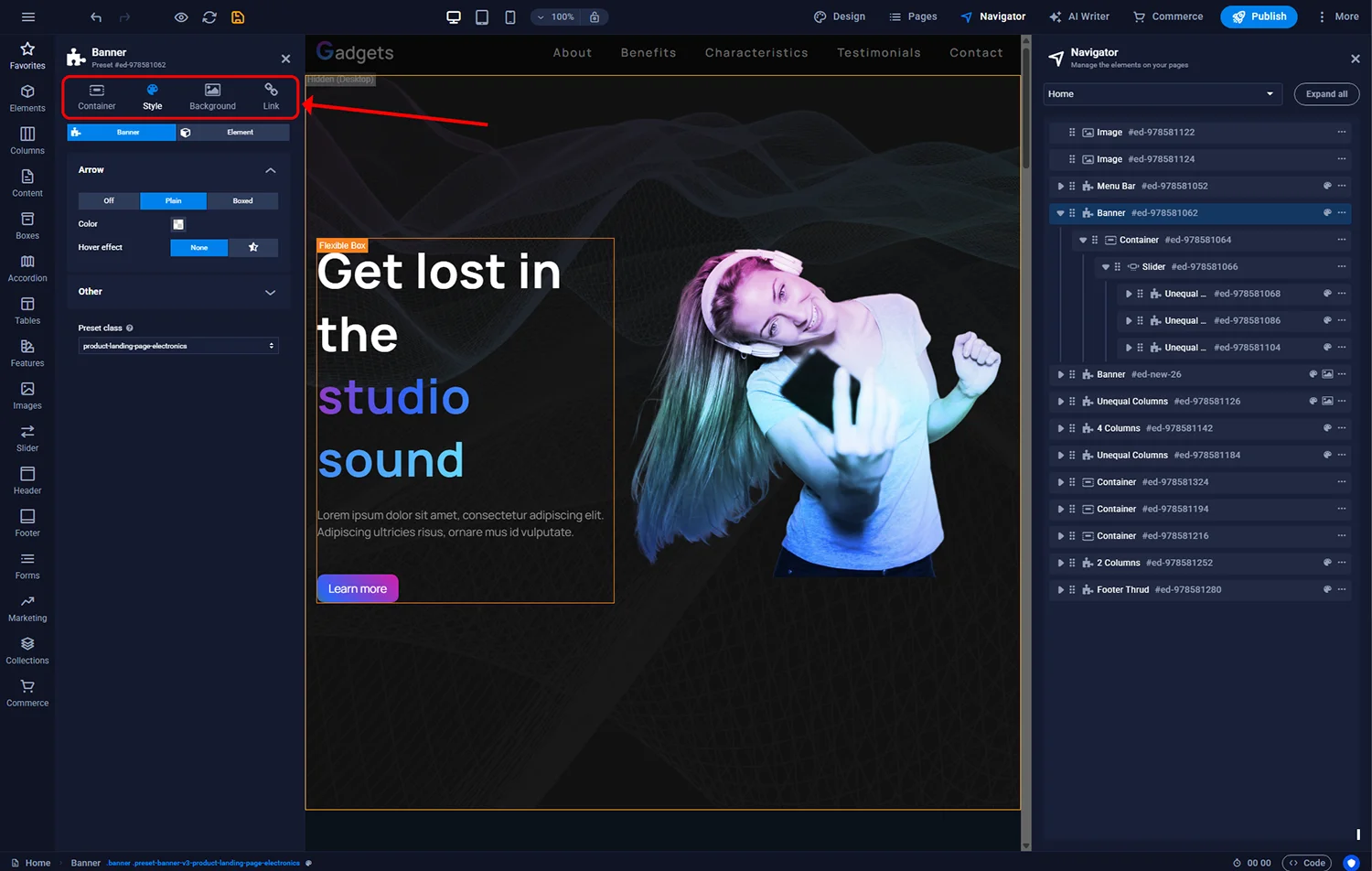
Double-click the banner in the editor to open the settings panel. Key controls:
¶ Background
- Image — upload a photo or choose from the built-in gallery. Aim for 1920×1080 px minimum for sharp rendering on high-DPI UK displays.
- Video — an MP4 background loops behind content. Use sparingly; autoplay video on mobile consumes user data and can annoy visitors.
- Gradient or solid colour — useful for text-heavy banners where the copy is the focus.
- Overlay — adds a dark (or coloured) translucent layer over the image so the text has enough contrast to remain legible.
¶ Layout
- Height — full viewport, half viewport, or fixed pixel height
- Content alignment — left, centre or right
- Margins and padding — spacing around text
¶ Link the whole banner
If the banner promotes one specific offer, you can make the entire banner clickable. In settings, set the banner Link to an internal page (for example /services) or external URL. The cursor becomes a pointer when hovering the banner.
¶ Animation
Subtle animations (fade-in on scroll, parallax background) add polish. Heavy animations hurt performance and accessibility — keep them gentle.
¶ Content — what to put in the banner
The banner should answer three questions in under three seconds:
- What do you do? (Concrete service or product, not abstract)
- Who is it for? (Your target customer should recognise themselves)
- What should the visitor do next? (One clear call to action)
A typical UK SME banner structure:
- Headline (H1) — your core promise in six to twelve words
- Subheading — one sentence expanding the promise, including location or specialism if relevant
- Primary CTA button — “Book a consultation”, “Get a quote”, “See our work”
- Secondary link (optional) — softer alternative like “Read more” for people not yet ready to commit
¶ Adding elements inside the banner
The banner ships with basic text and button. You can add or replace elements via the Elements icon in the left sidebar. Useful options:
- Text — the standard heading/subheading
- Button — a primary call to action; Sitejet sizes and styles it to match the theme
- Image — for product photos, logos, certification badges (Trustpilot, Checkatrade, NHS supplier)
- Slider — a carousel of banners cycling through multiple messages. Use only when each message is genuinely distinct; otherwise it dilutes focus.
- Video — embedded YouTube or Vimeo for a short explainer
- Form — inline newsletter or quote request form in the banner itself, useful for services where capturing a lead early is the goal
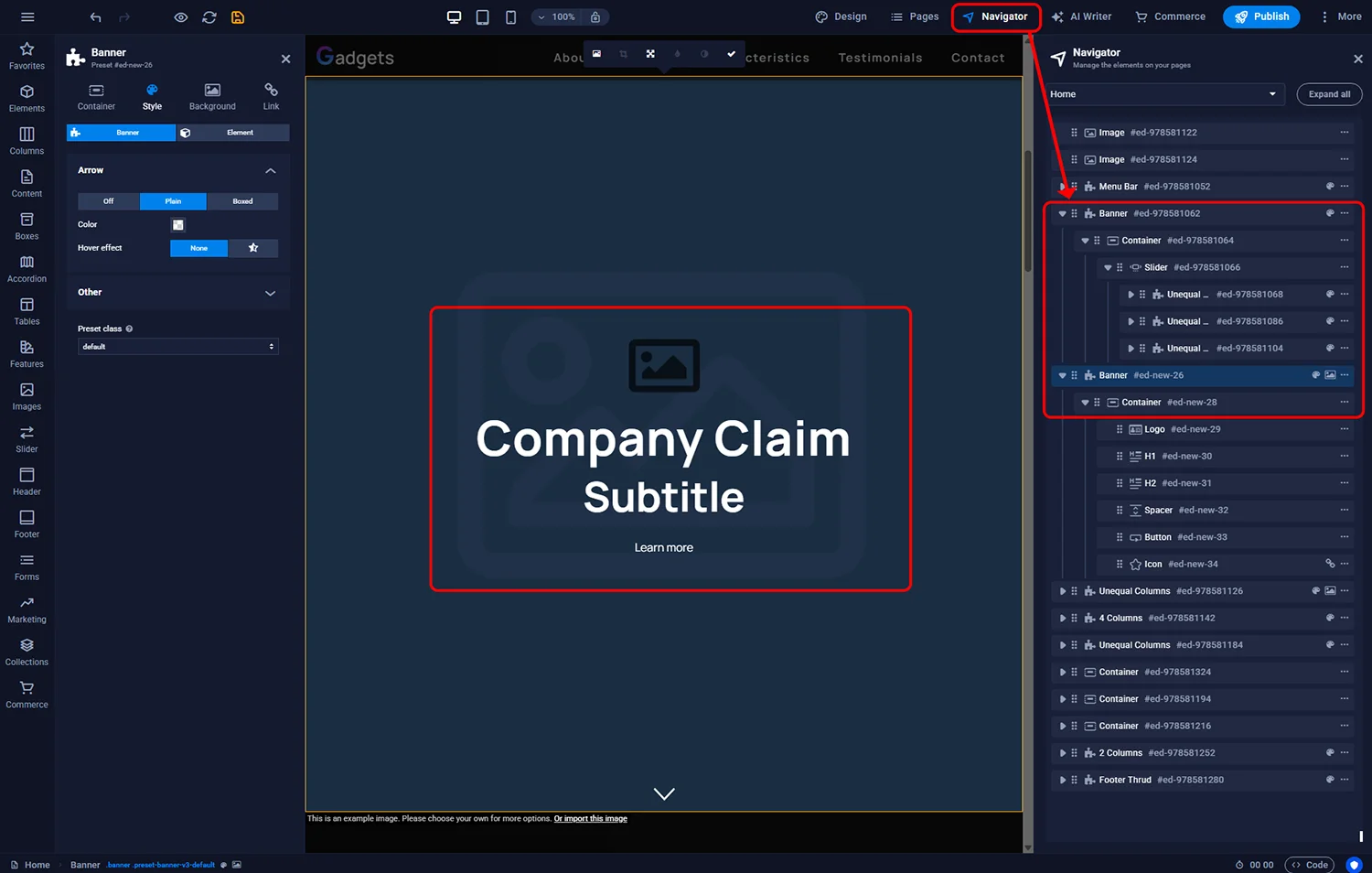
Enable the Navigator panel (top toolbar) to see the element tree — especially helpful when the banner has several nested elements and you need to select one that is not visible.
¶ Accessibility considerations
Banners often fail UK accessibility standards because image overlays muddle text contrast. Minimum checks:
- Text-over-image should meet WCAG AA contrast ratio (4.5:1 for body, 3:1 for large text). The Sitejet overlay control helps — darken the background until text is legible.
- Avoid placing critical information on top of areas of the background image where the image itself is busy (faces, signs, textured walls). Use a solid block or gradient overlay there.
- Every image should have alt text describing what is shown — set this in the image settings.
- If the banner auto-cycles (slider), provide pause controls. Auto-rotating carousels are a common accessibility complaint.
¶ FAQ
How big should my banner image be?
1920 × 1080 px is a safe minimum for UK desktops, with 2560 × 1440 better for high-resolution displays. Compress to under 300 KB before upload using a tool like Squoosh — large images slow your page load which hurts SEO and mobile user experience.
Can the banner show different images to desktop and mobile?
Yes. In the banner settings, enable the Mobile image override and upload a portrait-orientation alternative. This prevents important subjects getting cropped awkwardly on phones.
Should I use video in my banner?
Only if it genuinely improves the visitor’s understanding. Auto-playing video consumes mobile data, which UK visitors on pay-as-you-go plans specifically dislike. If you do use video, mute it by default and keep it under 10 seconds on loop.
Can I A/B test different headlines?
Not natively in Sitejet Builder. If you need A/B testing, you can integrate Google Optimize or a third-party tool, but for most UK SMEs the effort is not justified — iterate headline copy based on analytics and customer feedback instead.
Do sliders hurt SEO?
They can, if the slider hides text behind JavaScript that crawlers do not see or if the first slide takes too long to render. Sitejet’s slider is crawler-friendly, but limit to three slides and preload the first one to avoid layout shift.
What colour should the CTA button be?
Use a colour that contrasts with the banner background but is consistent with your brand palette. The button’s job is to be impossible to miss. “On brand” beats “flashy”, but it must visibly stand out.